

How to update Segway Navimow i110n firmware: use the Navimow app. Open Settings, then MOWER, then My Device, then Firmware version, or accept the update when the app pop-up appears. Segway’s published procedure for the Navimow H1 says the mower should sit on its charging station with a battery above 20 percent and a strong 4G or Wi-Fi connection, and the update takes 10 to 15 minutes. We could not read an i110n-specific firmware page, so treat these steps as general Navimow guidance and confirm the wording in your own app.
The short answer
- Where to update: the Navimow app, through the firmware pop-up or Settings, MOWER, My Device, Firmware version.
- Before you start: the mower on its charging station, battery above 20 percent, a strong network, and no mow scheduled in the next hour.
- During the update: keep the mower powered on and run no other operation. Segway’s H1 page gives 10 to 15 minutes.
- If it fails: after you meet the conditions, Segway says to contact after-sales service.
- i110n specifics: we did not find a confirmed i110n version list, so check the release notes in the app for your version.
Where to check the firmware version
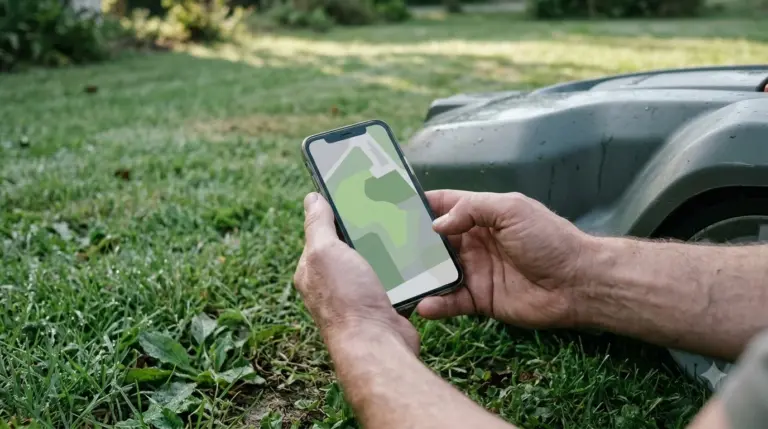
Knowing how to update Segway Navimow i110n firmware starts with the Navimow app, which is the place to see whether an update is ready for your mower. Segway’s H1 article describes two routes: a pop-up that appears once the mower is activated and connected to the network, and a manual check in the app. The manual route is the one to use if no pop-up has appeared.
- Open the Navimow app and make sure the mower is online.
- Go to Settings, then MOWER, then My Device. The article names this path for the H1; menu labels can differ slightly on other models, so look for the equivalent device screen.
- Read the Firmware version field. Compare it with the release notes the app offers for your version.
Our reading is that a manual check is worth doing once a month, because a pop-up depends on the mower staying connected at the moment the update is released. Husqvarna’s self-service guide, for a different brand, recommends keeping the app itself at its latest version and turning on automatic app-store updates, so the app can show the update prompt without a manual check. If the mower is new, how to set up Segway Navimow i110N covers activation first.
What the update needs before it starts
The conditions Segway lists are simple, but they all have to be true at the same time before the update can start. Segway’s H1 page sets them out as follows, and Husqvarna’s self-service guide for its own mowers describes a similar pattern.
| Requirement | Segway Navimow H1 page | Husqvarna guide (other brand, for comparison) |
|---|---|---|
| Mower position | In the charging station | Charged and parked |
| Battery | Above 20 percent | Charged before installing |
| Network | Strong 4G or Wi-Fi signal | Wi-Fi-only models need a strong Wi-Fi range; cellular models do not need Wi-Fi |
| Schedule | No mowing starts within the next hour | Not stated |
| Automatic check | Pop-up after activation and network connection | Check for updates is on by default |
The table matters because how to update Segway Navimow i110n firmware depends on all of these conditions holding at once. It also shows a useful pattern. The Navimow page ties the update to the charging station and to the mowing schedule, so a mower that is about to start a job is a poor moment to begin. Husqvarna’s guide puts the most weight on the network for Wi-Fi-only models, which is a useful check if your Navimow relies on Wi-Fi rather than 4G.
How to update Segway Navimow i110n firmware, step by step
Once the pop-up appears, or you have started the update from Settings, the process is short and mostly hands-off. Segway’s H1 article gives the install as a short timed process with a success pop-up at the end.
- Confirm the mower is on its charging station with the battery above 20 percent.
- Accept the update in the app and keep the phone connected to the network.
- Wait 10 to 15 minutes. Segway says not to power off the mower or run other operations during the upgrade.
- Look for the success pop-up that confirms the new firmware is installed.
In short, how to update Segway Navimow i110n firmware is a short app task once the conditions are met. The article does not say whether the update is delivered over the air or needs a manual file, and it does not describe a USB route. For a Navimow i110n owner, the practical reading is that the app is the only path we could confirm. Do not try an unofficial file from a forum or a third-party site, because the official page gives no such route.
What to do if the update does not install
If the update stops or does not complete, the first step is to recheck the conditions in the table above, because they are the ones Segway lists for the update. Segway’s H1 article says that only when every condition is met and the update still fails should you contact after-sales service.
Heads up
Do not switch the mower off during the install. Segway’s page warns against powering off the device or running other operations during the upgrade, and an interrupted update can turn a routine task into a support case. If the mower later reports a lost position, see Segway Navimow positioning lost.
When you contact support, have the mower model, the firmware version shown in the app, and a note of when the update started. These details let the support team see which version you were on and whether the mower met the battery and network conditions at the time.
What we could not confirm for the i110n
In the official Navimow i-series specification table we checked, we did not find the i110n listed. That means we could not confirm an i110n firmware version list, a minimum version, or a release note that applies only to this model. Segway’s H1 article also notes that some features need a minimum version of both the app and the mower, and points to the release notes for those details.
Our reading is that, for how to update Segway Navimow i110n firmware, the best approach for an i110n owner is to read the release notes inside the app before you update, and to check that the app itself is current. Do not rely on a version number from a forum or a retailer listing unless the Navimow app shows the same number. For the model itself, see our Segway Navimow i110N review and is the Segway Navimow i110N worth it.
Frequently asked questions
How do I update Segway Navimow i110n firmware without the app?
The Segway page we read describes the update through the Navimow app, with a pop-up or a manual check in Settings. It does not describe a USB or manual install for the H1, and we did not find an i110n-specific method, so the app is the path we can confirm.
How long does a Navimow firmware update take?
Segway’s H1 page gives 10 to 15 minutes for the upgrade. During that time the mower should stay powered on and no other operation should run.
Do I need Wi-Fi to update the firmware?
The Segway page asks for a strong 4G or Wi-Fi signal. The Husqvarna guide, for a different brand, says Wi-Fi-only models need a strong Wi-Fi range, while cellular models do not need Wi-Fi at all. Check which connection your Navimow uses before you start.
Does a newer firmware always add new features?
Not always. Segway’s H1 article says some features need a minimum version of both the app and the mower, and it points to the release notes. Read those notes before you update if you rely on a specific feature.
Sources
- Segway Navimow support: How do I update the firmware for Navimow H1 (Segway): the menu path, the 20 percent battery and network conditions, the 10 to 15 minute duration, and the after-sales step. Read 2026-11-11; the procedure is written for the H1.
- Husqvarna self-service: how to update your Automower firmware (Husqvarna): the default check-for-updates setting, the charged and parked requirement, and the Wi-Fi rules by model type. Read 2026-11-11; used only as a comparison for another brand.
 Up next7 min readLearnHow Long Does the Segway Navimow i110N Battery LastUpdated Nov 11, 2026
 9 min readLearnHow to Set Up Segway Navimow i110N: Easy Step-by-Step GuideUpdated Nov 10, 2026
 8 min readLearnWhat Is EFLS on Segway Navimow? How the Positioning WorksUpdated Nov 11, 2026
 8 min readLearnSegway Navimow Vision Fence Not Working: Causes and FixesUpdated Nov 11, 2026
 8 min readLearnSegway Navimow Positioning Lost? What It Means and 6 Simple Fixes to TryUpdated Nov 10, 2026
 6 min readLearnSegway Navimow Customer Service: How to Reach SupportUpdated Nov 13, 2026