
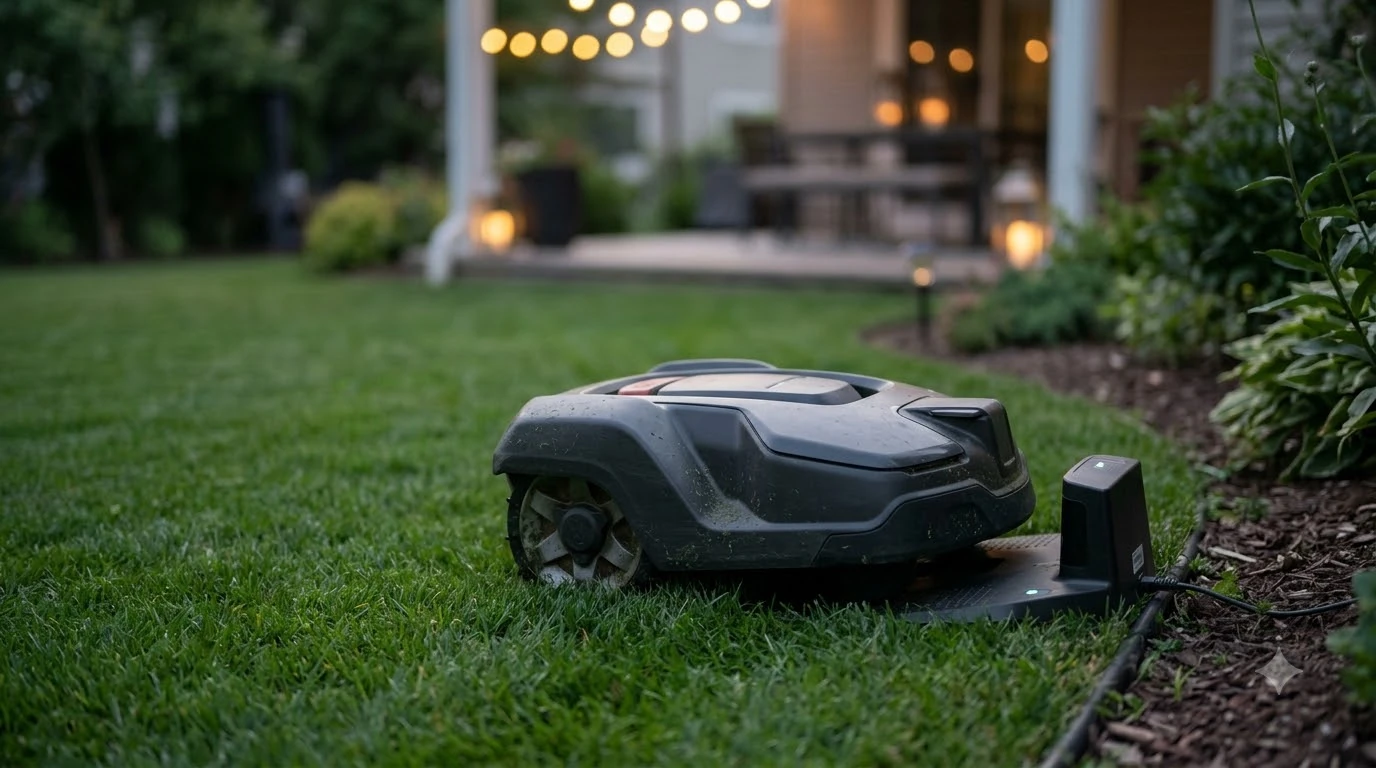

A Mammotion Luba stuck at charging station usually cannot line up with the dock, which is a placement, path or contact problem more often than a battery fault. Mammotion says a station that is not level or moves slightly can cause docking to fail. Check the station, the docking path and the contacts in that order before you contact support.
The short answer
- First: confirm the station is on flat, solid ground with at least 5 ft (1.5 m) of clear space in front and on both sides.
- Second: clear leaves, toys and debris from the approach, so a Mammotion Luba stuck at charging station can reach the dock.
- Third: power off, then clean the charging contacts on the mower and the station.
- Fourth: level the ground under the base and make sure the station is firmly anchored.
- If it still fails: contact Mammotion support or your dealer. Do not open the mower or the base yourself.
Mammotion Luba stuck at charging station? Start with placement
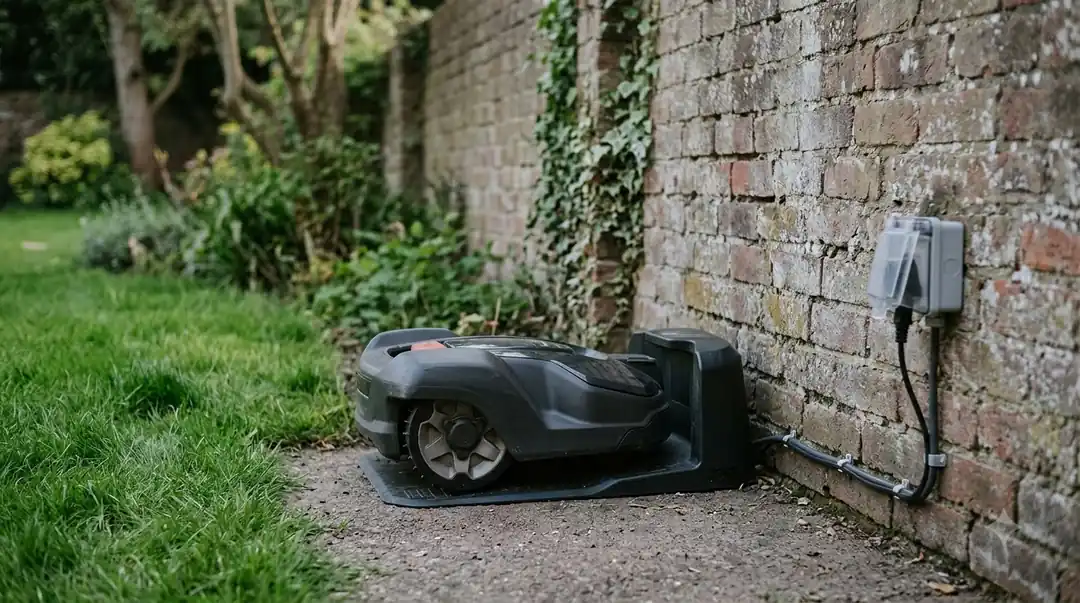
Placement is the first thing to check, because a station that is out of line gives the mower a poor target. Mammotion’s installation guide recommends a location on flat and level ground, near the edge of the lawn for easy access. It advises avoiding sloped or uneven ground and spots blocked by walls, fences or large objects. The guide warns that improper placement can lead to docking failure, unstable alignment or inconsistent charging. For more on siting the base, see where to put a robot mower charging station.
Clearance is easy to overlook. Mammotion asks for at least 5 ft (1.5 m) of clear space in front of the station and on both sides. Its guide does not give a clearance figure for the rear, and it does not say how much slope is acceptable, so treat “flat” as a practical test. Our reading: if a level or a rolled ball drifts toward one side of the base, the ground is not flat enough.
- Flat, solid ground with no obvious slope in front of the base
- At least 5 ft (1.5 m) clear in front and on both sides
- Not against a wall, fence or large object that blocks the approach
- Anchored with the included ground stakes, or expansion bolts on concrete
Anchoring matters for the same reason. Mammotion says to secure the station with the ground stakes included in the box, and to use expansion bolts, which are not included, if you install on concrete. The guide also states that if the station moves slightly, the robot may fail to dock correctly. Our reading: a base that has moved, even slightly, is a plausible cause when a Luba that used to dock well now stops short.
Heads up
Mammotion’s guide describes a successful dock as one where the robot aligns itself without repeated adjustments and charging starts automatically. If a Mammotion Luba stuck at charging station makes several passes and then stops, check whether the base has moved or is out of line.
Clear the docking path
An obstacle on the approach can stop a docking attempt before the mower reaches the contacts, which can keep the mower from ever reaching the dock. Husqvarna’s support page for its “charging station blocked” message says the most common causes are poor electrical contact and something blocking the docking path. Its advice is to remove any object that may block the mower’s path to the charging station, and to check for leaves, toys and garden debris in front of the base.
Walk the path before you test the dock again. Pick up toys, hoses, and garden furniture so the mower has a clear run, and clear fallen leaves or clippings that have built up at the entrance. Our reading: the open space in front of the base matters most, because that is where the mower lines up. To see what the approach involves, read how robot mower docking works.
Check the charging contacts and pins
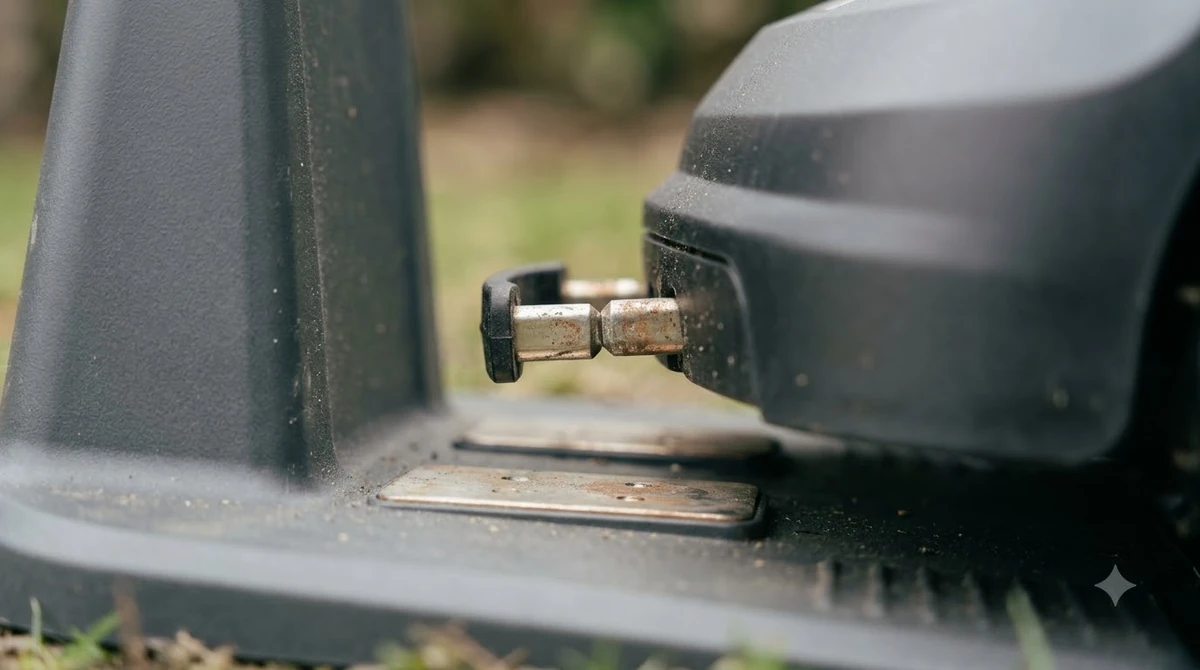
Dirty or oxidized contacts can be why a Mammotion Luba stuck at charging station fails to charge, even when placement looks right. Husqvarna’s support page tells owners to unplug the station first, then check the contact plates and charging strips for oxidation and clean them. After cleaning, the mower should sit in the station so that the charging plates and the contact plates make good contact.
Eufy’s support article for its robot mowers names the same problem areas. It lists debris in the charging port or on the base pole, oxidation, and a bent charging pole. Eufy’s advice is to switch the mower off completely before you work on the charging port. The general robot mower not charging fix covers other causes.
- Power off. Switch the Luba off, and unplug the charging station before you touch the contacts.
- Inspect. Look for grass, soil, and dark oxide on the contact plates on both the mower and the station.
- Clean. Remove the debris or oxide gently, and avoid anything that could scratch the plates.
- Check the base. Make sure the charging pole or contact strip is straight and not bent.
- Reconnect and retest. Plug the station back in, then send the mower to dock from a short distance.
Owner reports in Mammotion forums mention dirty or stuck charging pins, but we did not read those threads, so check the Mammotion manual or support before you try anything beyond cleaning.
Level the ground and check the base
A slope under the base can misalign the mower, even when everything else is correct. Husqvarna’s support page advises checking that the station’s base is not bent by uneven ground, and says you can level the ground with sand or soil where needed. Mammotion uses the same logic: a charging station that is not level or stable may cause misalignment during docking.
After you level the ground, check the stakes. A base that has lifted at one corner or has been pushed by the mower will not hold the mower in the right position. Re-secure it with the ground stakes, or with expansion bolts if the base sits on concrete. Model-specific steps are in how to set up the Mammotion Luba 3.
When the problem points to hardware
If placement, clearance, the path and the contacts all check out and the Luba still does not dock, the fault may be in the hardware. Husqvarna’s support page says that, for its own stations, an error that continues after these checks can mean a damaged circuit board that a dealer should inspect. Mammotion does not publish the same guidance in the guide we read, so contact Mammotion support. The table below sets out what each check should show and what to do next.
| Check | What good looks like | If it fails |
|---|---|---|
| Station placement | Flat, anchored, 5 ft clear in front and on both sides | Re-level and re-anchor, then clear the zone |
| Docking path | No toys, leaves or debris on the approach | Remove the object and test again |
| Contacts | Clean plates on mower and station, no oxide | Clean gently and check for a bent pole |
| Power | Outlet live, cable intact, connectors firm | Test the outlet, then check the cable and connectors |
| Repeated failure | Docks without repeated adjustments | Contact Mammotion support |
Power is worth checking as well. Worx’s troubleshooting for its Landroid Classic lists a power supply fault, a docking or contact problem, and a flat battery as the main causes when a mower will not charge, and it notes that a base LED that is off or flickering can point to power. Those are Worx facts, not Mammotion ones, but the order of checks carries over: rule out power before you suspect the battery. For positioning faults rather than docking, see Mammotion Luba RTK troubleshooting.
Frequently asked questions
Why is my Mammotion Luba stuck at charging station instead of docking?
Mammotion’s installation guide says a station that is not level or moves slightly can cause the robot to fail to dock correctly. Check placement and the approach first. Our reading: the mower may be lining up with a base that has shifted.
How much space does the charging station need?
Mammotion asks for at least 5 ft (1.5 m) of clear space in front of the station and on both sides. Its guide gives no figure for the rear, so keep the rear area free of obstacles too where you can.
Do I need to anchor the station?
Yes. Mammotion says to secure the station with the included ground stakes, and to use expansion bolts, which are not included, if the base sits on concrete. The guide also says that a station that moves slightly can make docking fail.
When should I contact support if my Mammotion Luba is stuck at charging station?
Contact Mammotion support or your dealer when placement, the path and the contacts all check out and the mower still fails to dock. Husqvarna’s own guidance, for its stations, is that a continuing error after these checks can mean a damaged circuit board that needs a dealer.
Sources
- Mammotion charging station installation guide (Mammotion): placement, 5 ft clearance, ground stakes and expansion bolts, and the note on a station that moves.
- Husqvarna support: charging station blocked (Husqvarna): meaning of the error, docking path, ground leveling and contact checks.
- Eufy support: robot lawn mower not charging properly (Eufy): debris, oxidation and bent charging pole, and powering off before cleaning.
- Worx Landroid Classic troubleshooting (Worx): power, contact and LED checks for a mower that will not charge.
 Up next7 min readLearnRobot Mower Stuck in the Same Spot? Causes and FixesUpdated Nov 11, 2026
 9 min readLearnAnthbot M5 RTK Station Setup Problems: Causes and FixesUpdated Nov 11, 2026
 9 min readLearnHow Long Does the Mammotion LUBA 3 Battery Last?Updated Nov 11, 2026
 8 min readLearnSegway Navimow Vision Fence Not Working: Causes and FixesUpdated Nov 11, 2026
 9 min readLearnWorx Landroid No Wire Signal: Causes and FixesUpdated Nov 11, 2026
 8 min readLearnHusqvarna Automower No Loop Signal: Causes and FixesUpdated Nov 11, 2026