

What does RTK float mean on a robot mower? It means the mower’s receiver has not yet locked onto its precise position, so the location is less reliable than a fixed solution. On a robot mower it usually appears when satellite sky view or the correction link weakens. The mower can still move, but it is less exact near boundaries, so the app’s RTK status matters more than the map marker alone.
The short answer
- Fixed: the receiver has resolved its carrier-phase ambiguities, which gives the most precise position.
- Float: the receiver has not resolved them yet, so accuracy drops and varies by receiver.
- Typical causes: trees, walls, sheds, and late or weak correction data.
- What to do: confirm the status in the app, then check sky view and the dock link before you adjust the boundary.
What does RTK float mean on a robot mower
RTK, short for real-time kinematic positioning, uses a reference station and satellite signals to correct a receiver’s position. A fixed solution means the receiver has resolved the carrier-phase ambiguities confidently enough for high-precision work. A float solution means it has not reached that confidence yet. One brand example is shown in Luba RTK no-fix fixes, and it explains the reasoning in more depth.
The float state is not the same as losing signal altogether. The position may still look steady on the map, but the error is larger and less consistent. The guide from Sunseeker warns that a steady marker can be misleading when the solution is float. For a mower, that means the robot may still move while its position is less sure.
This matters most near edges. A float reading near a flower bed, a fence, or a garden path can cause the mower to hesitate, wander, or leave a strip uncut. Some robots slow or stop in float, but that behavior depends on the model and its settings.
How accurate fixed and float are
The difference between the two states is large. RTKdata puts fixed RTK at about 1 to 2 centimeters horizontally in open sky near the reference station. Float accuracy is lower and varies by receiver, from a few centimeters to about a meter. These figures come from a vendor blog, so treat them as a guide to the gap rather than a promise for your yard. The other status is described in fixed solution accuracy, so check it if you want the details behind this point.
The practical point is that a mower spends a lot of its time near boundaries, and those are the places where float does the most damage. A lawn that is mostly open may stay fixed, while one narrow side yard can drop to float for much of the run.
What causes a drop from fixed to float
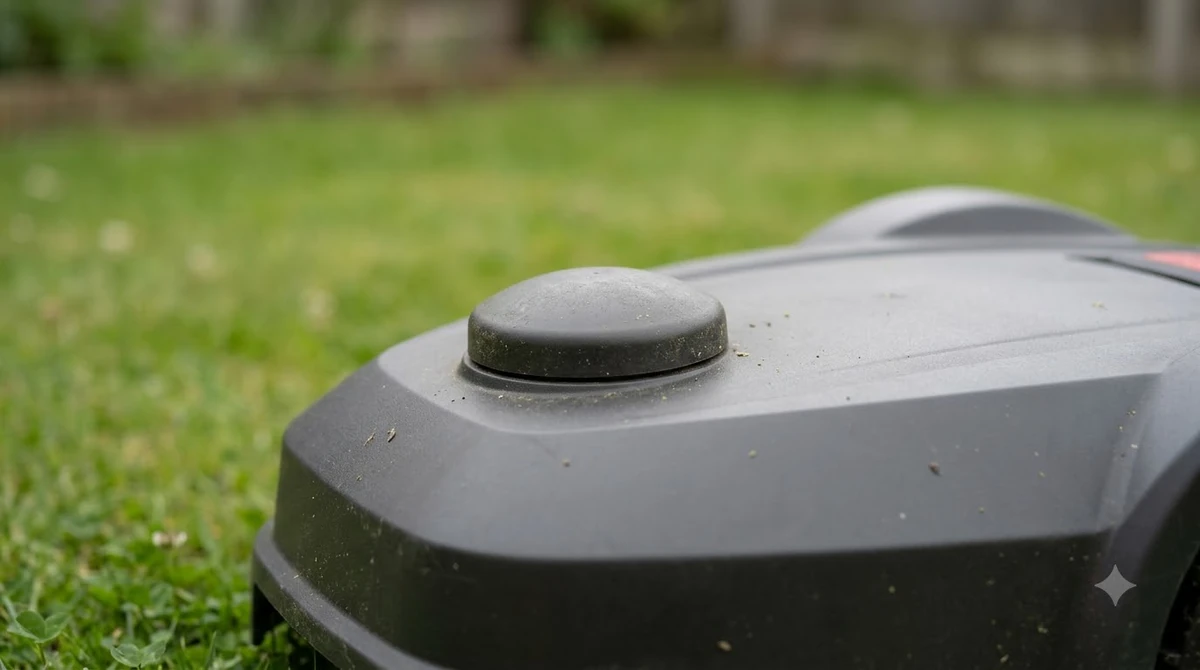
Obstructions are the usual cause. Sunseeker names trees, rooflines, fences, and slopes as common blockers, since they limit the sky view the receiver needs. RTKdata adds that dense canopy blocks satellites and can reflect their signals, which pushes the solution to float. The correction source matters, as NTRIP correction source explains, so check it if you want the details behind this point.
- Trees and canopy: they block low and angled satellites.
- Buildings and side yards: walls and sheds hide satellites and reflect signals, which is called multipath.
- Correction latency: RTKdata says delays of one to three seconds can cause more float, while corrections within one second support full RTK performance.
- Distance from the reference: accuracy is best close to the base or network station.
- Weak data link: for network RTK, poor Wi-Fi or 4G at the dock can drop corrections.
Heads up
Multipath can make a float or even a fixed reading wrong near metal and glass. Parked cars, metal sheds, and large windows are common sources, so keep boundaries a little away from them.
What to check when the mower reports float
Do not redraw the boundary the moment you see float. RTKdata’s steps begin with sky view, and a few minutes of checking often explains the problem. The order below is our reading of that advice, not a manufacturer procedure. Another brand example is described in GOAT RTK signal lost fixes, which is a useful companion to this section. Another brand example is Navimow positioning loss fixes, which gives more context than this short overview can.
- Look at the app status. Confirm which zone or time the float appears, and whether the mower reports it as float or lost.
- Check the sky view. Walk the boundary and look up. RTKdata says RTK needs clear sky above roughly 15 degrees from the horizon.
- Mark the problem zones. Flag canopy, narrow corridors, and reflective surfaces, then expect more float there.
- Check the base or dock. Keep the reference station on open, stable ground, and do not move it after mapping.
- Test the hardest edge first. Sunseeker suggests choosing a setup based on the hardest area and confirming that it holds fixed status there.
Does float mean the mower is broken?
No. A float reading means the position is less precise, not that the mower has failed. Many mowers run in float for short periods without trouble, especially in open areas where the margin is large. The concern is repeated float along the same boundary, which can leave strips uncut or send the mower too close to a hazard.
If float keeps appearing in the same spot after the sky and dock checks, the setup may not suit that yard. Some owners add a vision or vSLAM assist in dense canopy, which RTKdata mentions as a way to cover gaps in RTK. Whether that option exists depends on the model, so check its specifications first.
Frequently asked questions
What does RTK float mean on a robot mower?
It means the receiver has not resolved its precise position yet. The position is less reliable than a fixed solution, so it is worth checking the app and the sky view.
Is RTK float dangerous for a robot mower?
It can be, near hazards. RTKdata notes that a mower in float may hesitate at a boundary, wander, or move out of bounds near hazards, so keep wide buffers around pools, roads, and drops.
What causes RTK to drop from fixed to float?
Trees, buildings, fences, and slopes that block the sky, along with late or weak correction data, are the usual causes.
How do I stop my robot mower from losing fixed status?
Improve the sky view, keep the reference station on open ground, mark problem zones, and check that the correction link is steady. Some drops cannot be removed in dense shade.
Sources
- RTK GNSS accuracy (Sunseeker glossary): used for the fixed and float definitions, the obstruction list, and the advice to test the hardest edge first.
- Wire-free robot mower RTK accuracy guide for 2026 (RTKdata): used for the accuracy figures, the latency and canopy causes, and the sky-view steps.
 Up next6 min readLearnWhat Does an RTK Fixed Solution Mean on a Robot Mower?Updated Nov 13, 2026
 7 min readLearnWhat Does AWD Mean on a Robot Mower?Updated Nov 13, 2026
 7 min readLearnHow Much Does an RTK Base Station Cost?Updated Nov 14, 2026
 8 min readLearnWhy Does My Robot Mower Keep Losing RTK Signal?Updated Nov 10, 2026
 7 min readLearnWhat Does RTK Stand for on a Robot Mower?Updated Nov 11, 2026
 7 min readLearnWhat Do Robot Mower Charging Station Lights Mean?Updated Nov 12, 2026