
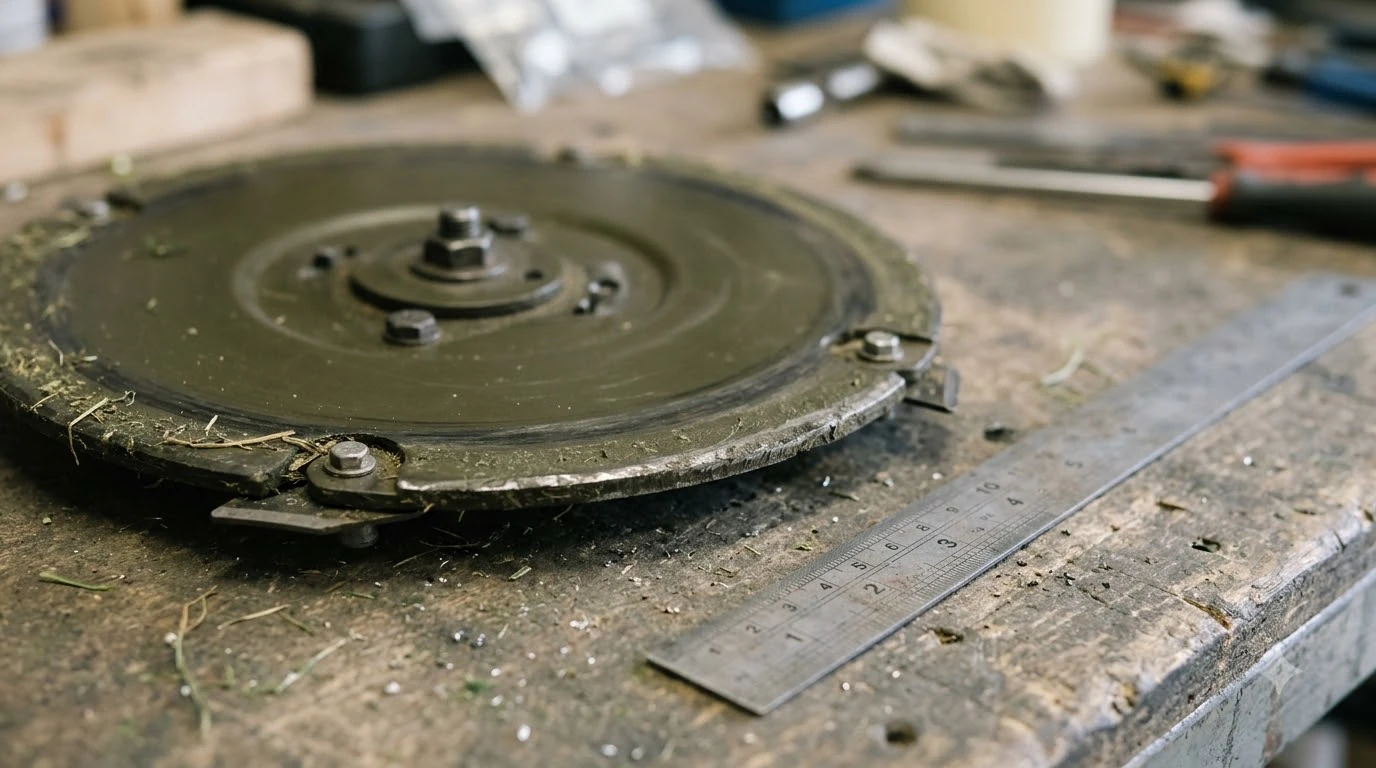

A robot mower spare cutting disc is worth keeping if your mower uses a disc-style blade assembly and you cut often enough that wear shows up between replacements. The disc is the part that does the cutting, so a worn or damaged one changes the cut quality and the wear on the motor. Keep a robot mower spare cutting disc only if it matches your model exactly, and replace the whole set of blades and screws together, not one piece at a time.
The short answer
- Replacement interval: Mammotion advises replacing blades about every three months or after 150 hours of use, or sooner if they are severely worn.
- Visible signs: Husqvarna says to replace blades when worn or when grass tips look whitened and frayed.
- Match the model: disc designs differ, and Anthbot uses a different disc for bagging than for mulching.
- Use original parts: Mammotion says to use only approved blades and screws, and never reuse screws.
- Keep the set together: replace all blades and their screws at once so the disc stays balanced.
What a robot mower spare cutting disc is for
On many robot mowers, the cutting blades are fixed to a disc that spins under the body. The disc carries the blades, and when the blades dull or chip, the cut gets ragged and the grass tips start to brown. A robot mower spare cutting disc lets you swap the whole assembly rather than waiting for a replacement to arrive, which matters during peak mowing weeks. If you want the wider context first, start with our replacement blade guide for robot mowers before returning to this page. For the next step after this section, continue with our replacement blade fit guide for your model.
Not every robot mower uses the same design. Anthbot’s N Series, for example, uses a 3-blade standard disc for bagging and a 6-blade mulching disc for mulching, so a spare for one mode is not automatically a spare for the other. Check the mower’s manual or the part number before you assume two discs are interchangeable.
How often a disc needs replacing
Replacement of a robot mower spare cutting disc is driven by wear and by how much grass you cut. Mammotion’s maintenance guide recommends replacing blades about every three months or after 150 hours of use, and sooner if they are severely worn. It also notes that thicker grass can call for more frequent changes. For a closely related angle, see our replacement kit comparison for robot mower blades as well. How often a cutting disc needs replacing depends on the grass and terrain, which is also the question behind Eufy E15 blade replacement.
Husqvarna gives a shorter range for its own blades, saying they typically last three to six weeks under good conditions. The two figures do not conflict, because they describe different mowers, lawns, and cutting schedules. Our reading is that the best guide is your own lawn: check the blade edges and the grass tips every few weeks, and replace the set when the cut starts to look frayed.
Signs the cutting disc needs replacing
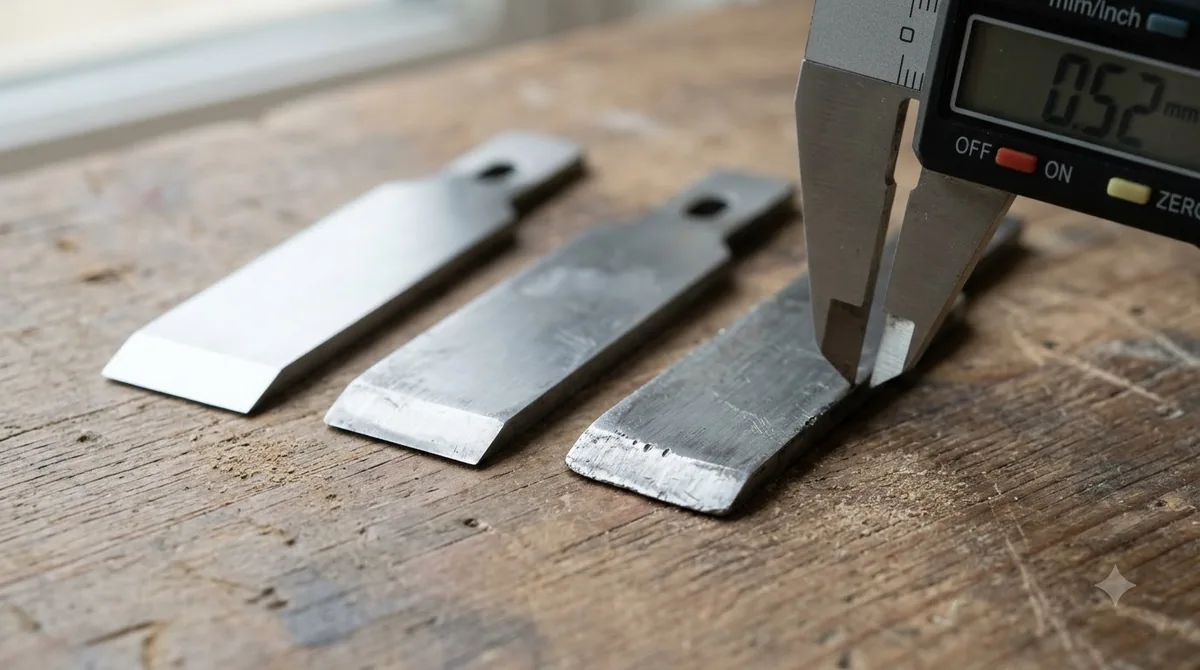
The clearest sign is the grass itself. A sharp blade slices grass cleanly, while a worn one tears it, leaving whitened or frayed tips that turn brown within a few days. A chipped blade can cause the same effect and may also make the mower vibrate.
- Frayed or whitened grass tips: the blade is tearing rather than cutting.
- Chips or bent edges: remove the blade from service even if it still spins.
- Uneven cut or streaks: a worn disc can leave patches that look different from the rest of the lawn.
- Vibration or noise: a damaged or unbalanced disc can make the mower louder.
How to choose a robot mower spare cutting disc
Start with the exact model and the blade mode. Confirm the disc design, the number of blades, the screw pattern, and whether the part is listed as a genuine replacement for your mower. Buying a disc that looks similar but fits a different model can change how the blades sit against the skid plate, which affects both the cut and the safety of the assembly. When you are ready for the next step, read our stainless steel blade options for robot mowers for more detail.
Buy from the maker or an authorised reseller where possible, and keep the order record in case you need it for a warranty claim. Avoid generic discs unless the listing names your exact model and your manual allows third-party parts.
How to swap the disc safely
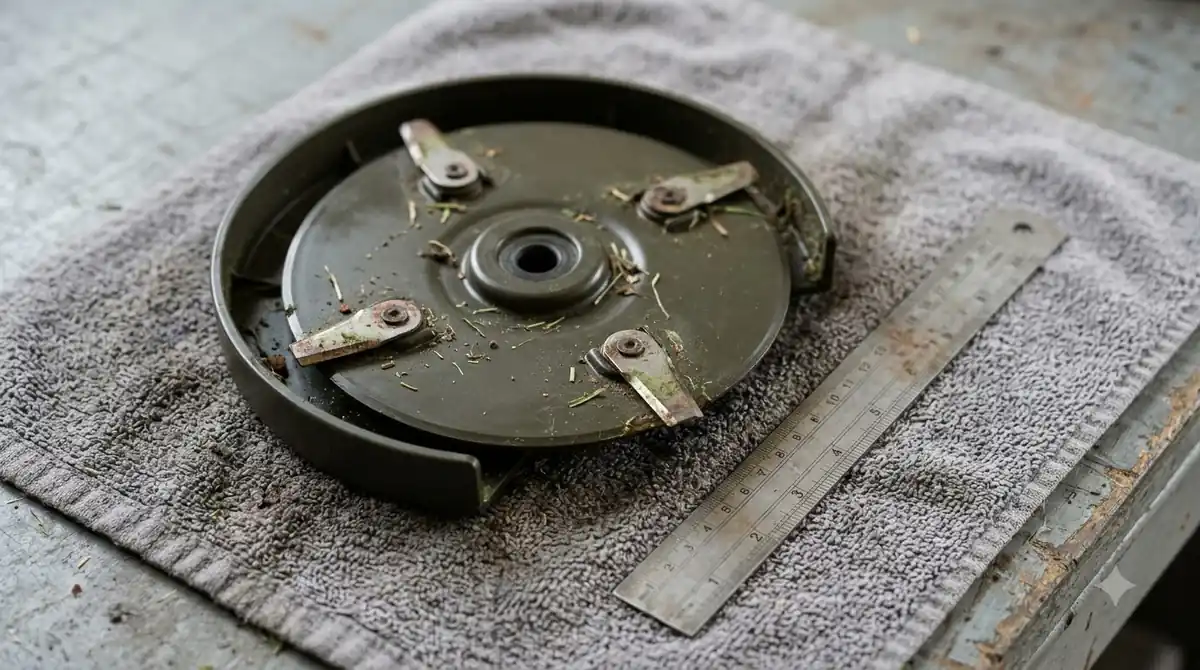
Swapping the disc takes a few minutes, but power must be off first. Husqvarna’s blade-change steps start by turning off the main switch, wearing protective gloves, and turning the mower upside down. Align the skid plate hole with the blade screw, unscrew the blade, separate the skid plate and disc, clean out debris, and fit the new blade with a new screw. The follow-up question most readers have is answered in our step-by-step robot mower blade change guide.
Mammotion’s guidance adds two details. Place the robot on a soft, clean surface without pressing on the vision module, and do not use an electric screwdriver on the cutting disc. Use the Phillips screwdriver supplied with the mower. After installation, check that the blades spin freely and are securely fastened.
- Power off. Turn off the main switch before touching the blades.
- Protect your hands. Wear cut-resistant gloves for the whole job.
- Turn the mower over. Rest it on a soft surface and avoid pressing on the sensors.
- Remove the old set. Take out the blades and screws together and clean debris from the disc.
- Fit the new set. Use new screws and original blades, one blade per screw.
- Check the spin. Turn the disc by hand to confirm it moves freely before powering on.
| Situation | Action | Why |
|---|---|---|
| Routine replacement interval reached | Replace the whole blade set and screws | Keeps wear even and the disc balanced |
| Chipped or bent blade | Replace before the next cut | Damaged blades tear grass and vibrate |
| Spare disc on the shelf | Store dry and clean, away from the mower | Stops rust and debris build-up |
| Switching between bag and mulch | Use the disc designed for that mode | Each design is matched to its job |
Heads up
Do not reuse old screws. Mammotion says to replace screws every time blades are changed, because a worn screw can let a blade loosen during operation.
Related reads: Also worth reading is our spare blade storage case guide, which covers a connected question. Another connected page that readers often open next is our robot mower parts guide for the US.

Frequently asked questions
How often should I replace a robot mower cutting disc?
Mammotion suggests about every three months or 150 hours, and sooner if the blades are severely worn. Husqvarna says its blades typically last three to six weeks under good conditions.
Can I replace just one blade?
Mammotion advises replacing all blades and their screws together. Replacing a single blade can leave the set unbalanced.
Is a spare disc the same as a mulching disc?
Not always. Anthbot uses a standard 3-blade disc for bagging and a 6-blade mulching disc for mulching, so check which design your model uses.
Do I need a special tool to change the disc?
Use the Phillips screwdriver supplied with the mower. Mammotion says not to use an electric screwdriver on the cutting disc.
Sources
- Mammotion, maintenance for cutting blades and motor (manufacturer support): used for the replacement interval, screw advice, and tool guidance.
- Husqvarna, how to change the cutting blades on your Automower (manufacturer guide): used for the blade-change steps, the power-off requirement, and the blade lifespan range.
 Up next7 min readGearBest Replacement Cutting Disc Guard for Rocky Lawns: Materials, Fit, and CareUpdated Nov 19, 2026
 7 min readGearSegway Navimow Spare Parts: What Wears Out and When to ReplaceUpdated Nov 20, 2026
 8 min readGearDull Robot Mower Blades Signs: What to Check and When to ReplaceUpdated Nov 19, 2026
 6 min readGearRobot Mower Spare Antenna: When You Really Need OneUpdated Nov 20, 2026
 7 min readGearRobot Mower Spare Charging Contacts: When a Spare Is Worth ItUpdated Nov 20, 2026
 8 min readGearRobot Mower Spare Bumper Cover: When to Buy OneUpdated Nov 20, 2026