
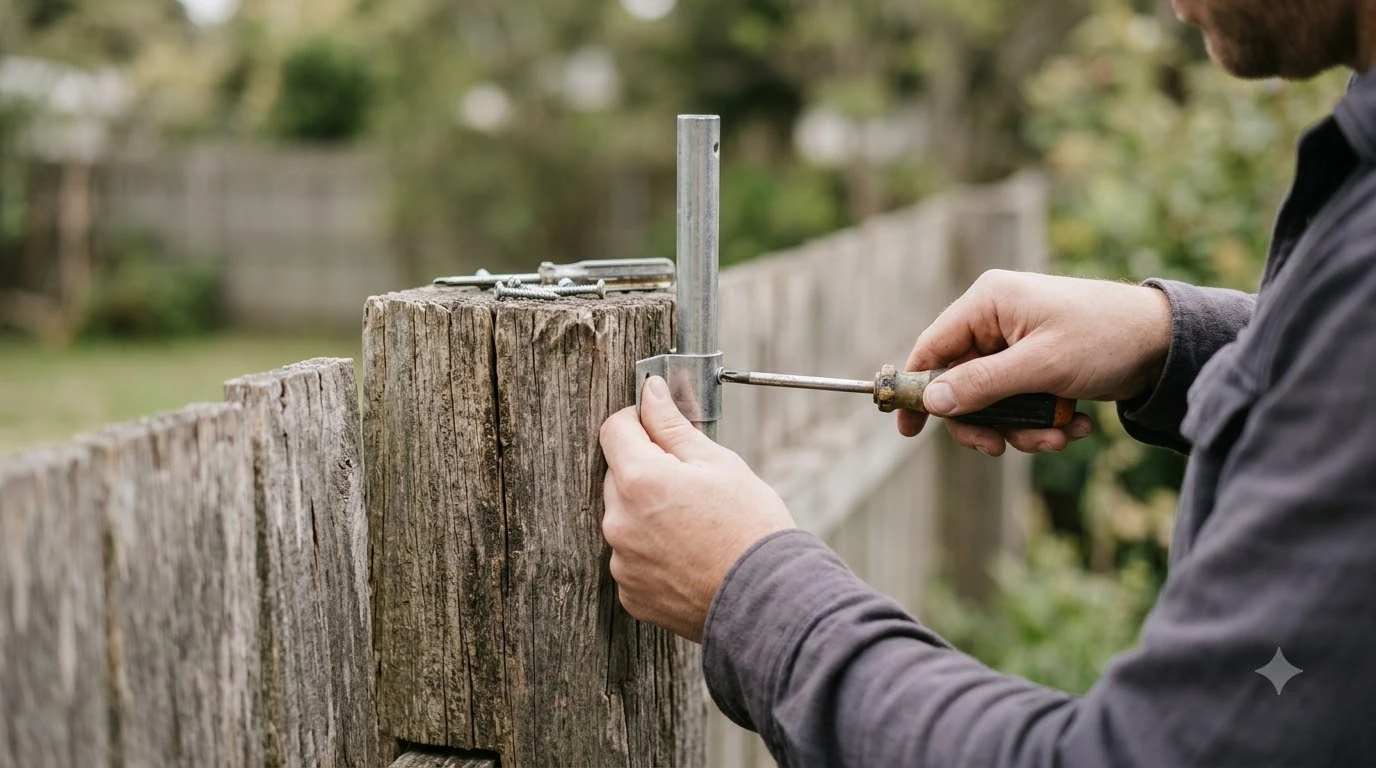

An RTK antenna wall mount bracket fixes the RTK base station to a wall so it keeps a clear view of the sky and stays upright. Before you buy one, match the bracket to your mower’s series, check the spot against the 10 foot clearance rule in Mammotion’s guide, and confirm the bolts suit your wall. Mounting heights vary by brand, so the numbers below come from the support pages we read, with the differences shown.
The short answer
- Clearance: keep the station at least 3 m (10 ft) from any wall or tree, according to Mammotion’s support guide.
- Sky view: makers describe the clear sky needed differently, from 90 to 135 degrees, so aim for the widest open view you can get.
- Height: Husqvarna and Yarbo both give about 2 m (6.5 ft) as the minimum height for a station.
- Hardware: Mammotion’s wall mount uses four 10 x 40 mm holes, expansion bolts and four M8 x 50 bolts.
- Series match: brackets are not universal, so check that the kit lists your station model and compare it with your manual before you order.
What a wall mount bracket does
An RTK antenna wall mount bracket holds the RTK base station, and often its antenna, on a fixed surface so the station does not move after the mower maps the lawn. A moving station breaks the reference point the mower relies on, so a stable mount matters as much as the location.
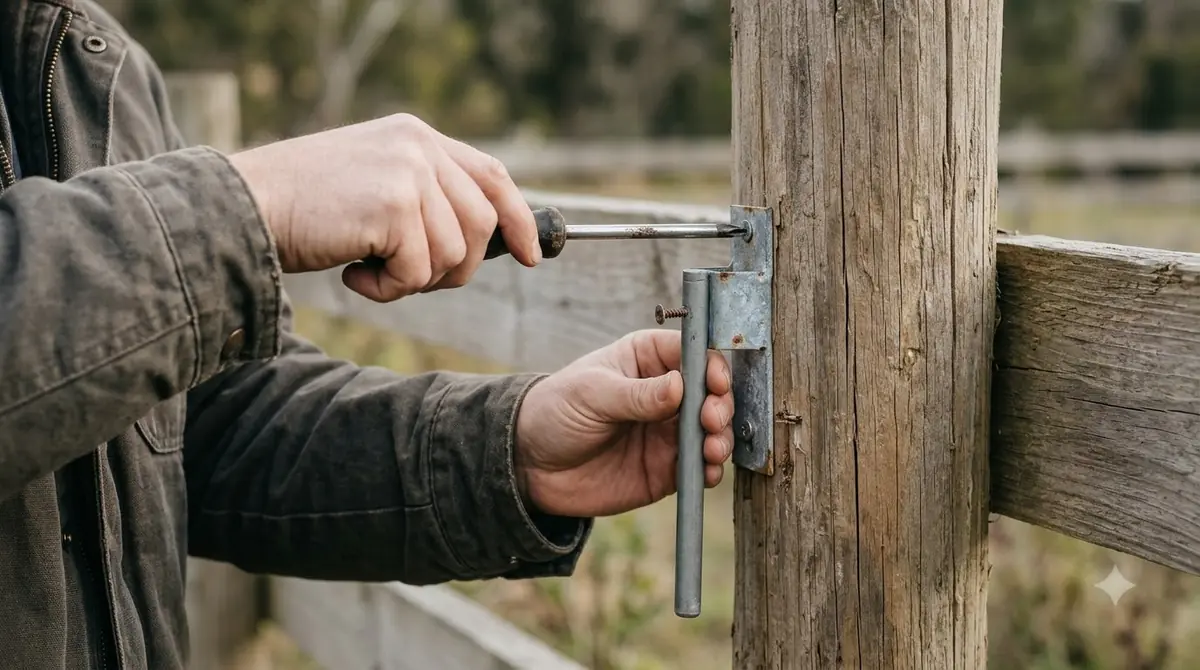
Mammotion’s wall mount steps show how the parts fit together. The station attaches to a pole, the pole attaches to the wall, and an adjustment knob lets you set the station “upright and stable.” In our reading, a good RTK antenna wall mount bracket is the part that keeps that setting from drifting. Mammotion’s guide says to choose a longer or shorter pole based on your eave width, and to assemble both poles when the eave is wide. Orient the station vertically in all cases.
Match the RTK antenna wall mount bracket to your mower series
Bracket kits are not universal, so the kit name and the model it lists are the first things to check. Our reading is that you should compare the series printed on the kit listing with the series on your station and manual before you drill anything. We did not find a maker page that lists which stations fit which kit, so the manual is the safest guide.
If you are not sure which station you have, look up the model in the manual that came with the mower. The mounting page for your model is the authority on hole spacing, pole length and bolt size, because a generic bracket can leave the station out of level.
Pick a spot with a clear sky
A wall bracket only helps if the station can see satellites. The makers do not agree on one sky-view number, so the table shows each source and its limit.
| Source | Rule for the station | Type of guidance |
|---|---|---|
| Mammotion support | Open area, at least 3 m (10 ft) from any wall or tree | Manufacturer support page |
| Mammotion blog | At least 90 degree open-sky view; not recommended if walls or trees cover more than 30% of the lawn | Vendor marketing |
| Husqvarna EPOS support | Clear sky view of at least 135 degrees | Manufacturer support page |
| RTKdata guide (cites NGS) | Clear sky above roughly 15 degrees from the horizon | Third-party guide |
For a wall-mounted station, Mammotion’s support page also warns against L-shaped building corners, narrow gaps between two structures and spots under a tree. On a wall, the practical test is simple: stand where the station will sit and look up. If the view is cut by a gutter, a fence top or a tree line, move the bracket. Our guide to where to mount an RTK base station compares more mounting spots, and placing an RTK antenna in a yard with trees covers the tree problem.
Heads up
Husqvarna notes that metal fences can interfere with the signal. If the bracket sits near a metal fence, check the satellite count in the app before you commit to the spot.
Height and the wall line
Height matters because it lifts the antenna above nearby clutter. Husqvarna’s EPOS support asks for a station at least 2 m (6.5 ft) high, and Yarbo’s brand guide gives the same 2 m figure, suggesting a pole or tripod to get there. Mammotion’s wall mount page does not state a height at all.
When the station goes on a wall, Husqvarna says the top of the station must sit above the wall line. Ecovacs allows high mounting, including on a roof, if its conditions are met. Ecovacs also advises waiting about one minute after power-on and then checking that the light is steady.
Drilling, anchors and bolts
Once you have the spot, Mammotion’s steps are a good check on the hardware you need. Plan on the following sequence, and read your model’s manual before drilling.
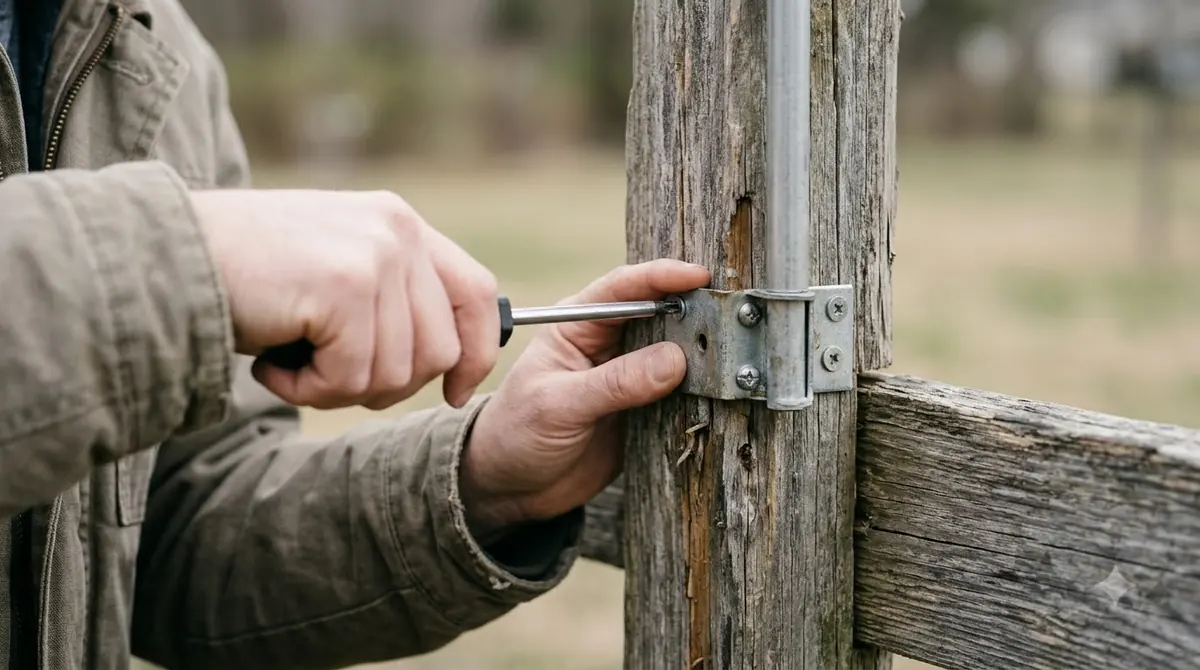
- Mark the four holes. Mammotion’s wall mount uses holes of 10 x 40 mm (0.4 x 1.6 in).
- Install expansion bolts. The wall mount calls for expansion bolts in each hole, so the anchor must suit the wall material.
- Fix the bracket. Attach the station to the wall with four M8 x 50 bolts and tighten them firmly.
- Secure the cable. Run the cable up the pole and fix it with a cable tie.
- Power it. Plug the power supply into a wall socket, then power on the station.
Our reading is that the bolts matter more than the bracket’s appearance. Masonry, siding and wood each need a different anchor, so check the bolt length against the wall depth, and do not use a fastener that the kit does not list.
Cable routing and weather
The cable is a likely weak point of a wall-mounted station, so plan its route when you choose the bracket. The IGS guidelines for reference stations list the main threats to GNSS cabling as vandalism, weather, pests and fire. Keeping the run short and out of reach limits all four.
Conduit size also matters. A Safran Navigation & Timing note says the conduit must fit N-type connectors, about 20 mm (0.8 in). Our reading is that a wall bracket with the cable running inside conduit, or tied tight to the pole as Mammotion shows, keeps the cable out of harm’s way. A cable cover for RTK antenna wire is one way to do that.
Check the signal after mounting
After the bracket is fixed and powered, add the station in the app. Mammotion’s steps say to choose Add and follow the prompts, then check Settings, or the status bar on the station page, for the number of satellites received and the signal strength.
If you are still setting up the whole system, how to set up an RTK robot mower walks through the steps in order. Mammotion’s page does not list a target value for a good signal. Use the satellite count and strength as a relative check, watch whether the status stays steady, and recheck after a few days, because a new obstacle or a shifted bracket can change the result.
When a wall bracket is not the answer
Some systems do not need a local base at all. Navimow says its network RTK needs no local antenna, but availability is checked by postcode. Whether network RTK works in your area is a question for the maker, not a guess.
If the wall spot cannot see enough sky, an RTK antenna wall mount bracket will not fix that. Compare the sky view first, and only then decide between a bracket and another mounting point such as a pole. If you also want a new antenna, see the best RTK antenna for a robot mower.
What to check before you buy
Use this list before you buy an RTK antenna wall mount bracket, because a bracket only works if the spot suits it. Each item comes from a source above, and the answer depends on your yard and your mower.
- Series: the kit names the station or mower series it fits.
- Clearance: a 3 m (10 ft) gap from every wall and tree.
- Height: at least 2 m (6.5 ft), with the top above the wall line.
- Sky: a view of the sky that matches the maker’s stated angle.
- Hardware: the bolt and anchor sizes listed by the maker for your wall.
- Cable: a protected, short run with a conduit that fits the connector.
Frequently asked questions
Can I mount an RTK base station on an outside wall?
Yes, Mammotion’s support page allows an unobstructed wall or roof, on flat, open ground or a wall that meets the clearance rule. Keep the station at least 3 m (10 ft) from any wall or tree, and orient it vertically.
How high should the station sit on a wall?
Husqvarna’s support page gives at least 2 m (6.5 ft), and Husqvarna also says the top of the station must sit above the wall line. Mammotion’s wall mount page does not state a height, so check your model’s manual for its figure.
What bolts does an RTK antenna wall mount bracket need?
Mammotion’s wall mount uses four 10 x 40 mm holes with expansion bolts, then four M8 x 50 bolts to attach the station. Other kits can differ, so use the sizes listed for your kit and your wall material.
How do I know the bracket is working?
Add the station in the app and check the satellite count and signal strength in Settings. Ecovacs advises waiting about one minute and checking that the light is steady. Mammotion gives no target values, so compare readings over several days.
Sources
- Mammotion support: How to install an RTK reference station (manufacturer): placement, 3 m clearance, wall mount holes and bolts, app signal check.
- Husqvarna support: EPOS satellite connection troubleshooting (manufacturer): 135 degree sky view, 2 m height, metal fences, wall line.
- Segway Navimow: Network RTK (manufacturer): no local antenna needed, postcode availability.
- Ecovacs support FAQ (manufacturer): high mounting conditions and steady light check.
- Yarbo: GPS lawn mower signal guide (manufacturer article): 2 m height, pole or tripod.
- RTKdata: wire-free robot mower RTK accuracy guide (third party, cites NGS): 15 degree sky elevation.
- IGS CORS guidelines: cable (international standards body): cabling threats.
- Safran Navigation & Timing: outdoor GNSS antenna installation considerations (manufacturer): conduit size for N-type connectors.
 Up next8 min readGearBest Weatherproof Enclosure for RTK Base Station: 6 Checks Before You BuyUpdated Nov 11, 2026
 9 min readGearBest RTK Antenna for Robot Mower: How to Choose the Right SetupUpdated Nov 11, 2026
 8 min readGearWhere to Mount an RTK Base Station for a Robot MowerUpdated Nov 11, 2026
 7 min readGearWooden Robot Mower Garage: What to Check Before You BuyUpdated Nov 11, 2026
 8 min readGearBest Garage for Dreame Robot Mowers: 5 Checks Before You BuyUpdated Nov 11, 2026
 8 min readGearBest Metal Robot Mower Shelter: What to Check Before You BuyUpdated Nov 11, 2026