


Worx Landroid replacement blades are sold as a long-life pack of 6 blades with 6 screws, and Worx says the pack is compatible with all Landroid models. Worx’s own pages give two different replacement timings, roughly every 3 to 4 months on the product FAQ and every 1 to 2 months with daily use on the Landroid Vision maintenance page, so check the blades on a schedule rather than trusting one number.
The short answer
- What comes in the pack: 6 blades and 6 screws for the Worx Landroid long-life replacement blade set.
- Compatibility: Worx states the blades fit all Landroid models. Confirm the model label before you order.
- Timing: the product FAQ says every 3 to 4 months; the Vision maintenance page says every 1 to 2 months with daily use, or after about 100 to 200 operating hours.
- Tools: a Phillips screwdriver and protective gloves are the basics.
- Rule: replace the full set together so the cutting stays even.
What is in the Worx Landroid replacement blade pack
Worx sells its long-life replacement blades, the Worx Landroid replacement blades in this guide, as one pack containing 6 blades and 6 screws. The product page lists compatibility as all Landroid models, and that is the brand’s own claim rather than a third-party test. The page does not show a price in the captured version, so check the current cost at the seller you choose. For the bigger picture behind this topic, begin with our robot mower blade replacement basics and then come back here. The follow-up question most readers have is answered in our Worx Landroid spare parts beyond the blades.
Before buying Worx Landroid replacement blades, check the blade count against the pack. Our reading is that the safest choice is the pack that matches the blade count on your mower. Buying loose blades from a different source can leave you with mismatched screws or blades that do not seat correctly, and the screws are part of the fit, so use the set that came with the blades.
How often to replace Worx Landroid replacement blades
The two Worx timings differ, and it helps to know why. The product FAQ suggests replacing the blades every 3 to 4 months for best performance. The Landroid Vision maintenance page is more specific about wear: check and replace about every 1 to 2 months with daily use, or after roughly 100 to 200 operating hours, depending on conditions.
In practice, the right interval depends on how much you mow, how long the grass gets between cuts, and how sandy or stony your lawn is. A small lawn cut daily wears blades faster than a larger lawn cut on alternate days. Use the hours figure if your app shows run time, and keep a note of the date you last changed the set.
Tools and safety before you start
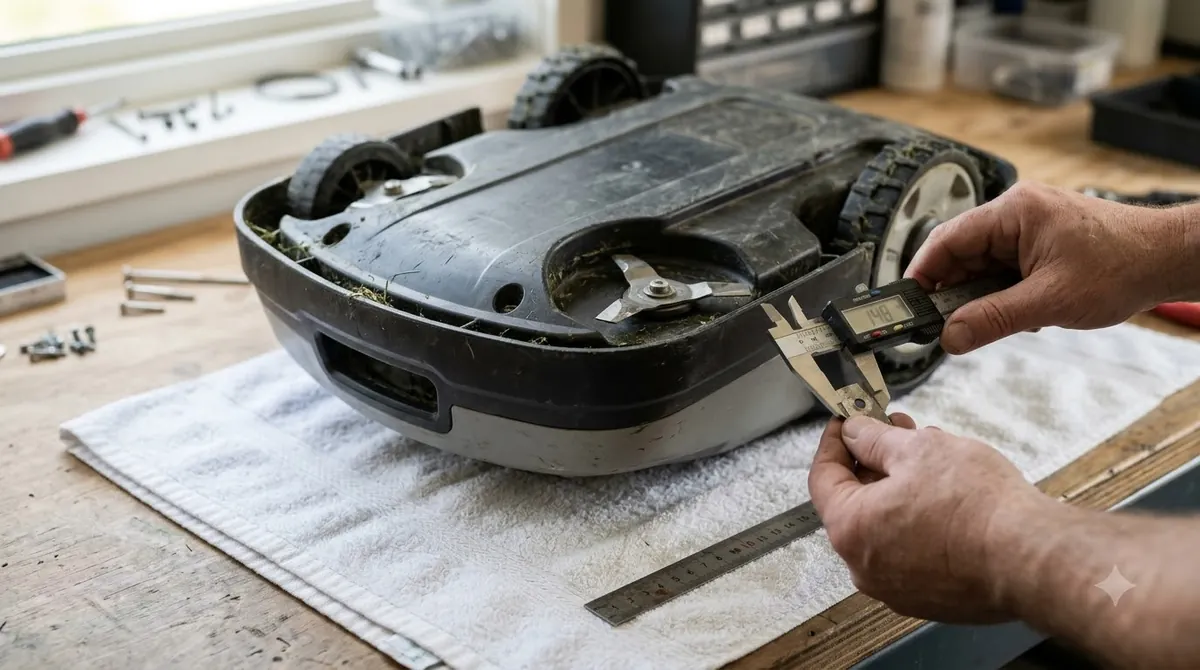
For Worx Landroid replacement blades, Worx’s maintenance guidance says to use a Phillips screwdriver to remove the old blades and to wear protective gloves during the work. Blades are sharp even when they look dull, so the gloves are not optional. Our reading is that you should also turn the mower off and keep it on a clean, flat surface before you start. Do not work with the mower on a slope, and keep children and pets away from the area.
Heads up
Worx’s page does not say how many screws or blades to remove in each step. Check the manual that came with your Landroid, and follow its order if it differs from this guide.
Change the Worx Landroid replacement blades as a set
Work through the set in one session, so every Worx Landroid replacement blade goes on at the same time and the cut stays level. When you are ready for the next step, read our Worx Landroid blade change walkthrough for more detail. Changing blades as a set keeps wear even across the disc, and a guide on how to balance robot mower blades covers the next step after the swap.
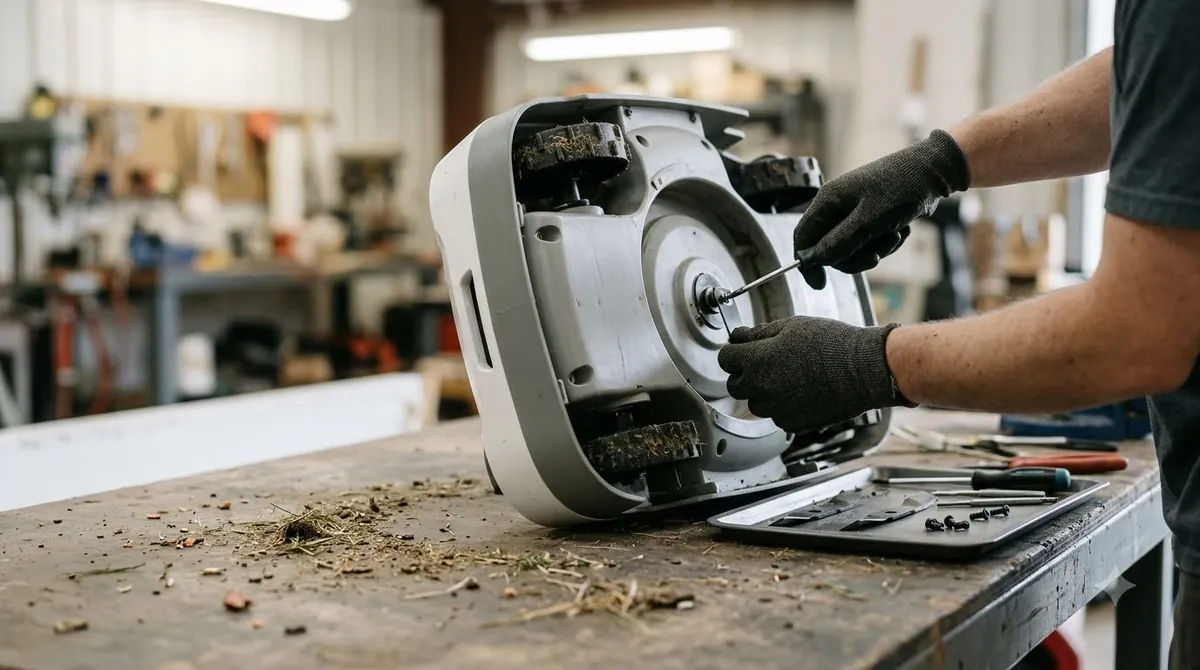
Remove each old blade and its screw, keeping the screws together so you can check their condition. Fit the new blade and a new screw, tighten it snugly, and move on to the next. Replacing one blade while the others are worn leaves the cutting height uneven and can strain the motor, so the full set is the sensible choice.

Signs the blades need changing before the timer runs out
Do not rely only on the calendar or the hours. Look for chipped or bent edges, blades that rub the deck, uneven grass tips, and a motor that sounds strained. Eufy’s robot mower guidance, which covers a different brand, makes the same point: replace blades when they are dull, bent, chipped, or damaged rather than on a fixed schedule. The same signs apply to Worx Landroid replacement blades.
Do not run the mower with a missing or bent blade, and never fit a Worx Landroid replacement blade that is cracked. Avoid sharpening thin replaceable blades unless the manual allows it.
Keep a simple log for Worx Landroid replacement blades
A short log makes the timing easier to follow. Write down the date, the run hours from the app if it shows them, and the condition of each blade when you remove it. Over two or three changes you will know whether your lawn wears Worx Landroid replacement blades faster than the Worx timings suggest. Many owners find that a dusty or sandy lawn shortens the interval, while a well-kept, short-grass lawn lengthens it. You can find more background and practical detail on this point in our blade replacement kit comparison for Worx owners.
The log also helps if you need support. A record of when the blades were changed, and which pack you used, is useful information to have ready.
Test the Landroid after the blade change
When the new blades are on and the screws are tight, turn the mower back over and check that every blade spins freely by hand. Then run a short cycle and watch the cut. An even finish with no rubbing or knocking means the set is fitted correctly. If the mower vibrates or the cut looks ragged, stop and check the blades and screws again.
Related reads: Related to this guide, you may also want to read our Worx Landroid Vision setup walkthrough for a connected topic. Also worth reading is our Worx Landroid battery replacement notes, which covers a connected question.
Frequently asked questions
Do Worx Landroid replacement blades fit every model?
Worx states that its long-life replacement blades are compatible with all Landroid models. That is the manufacturer’s claim, so confirm your model number on the mower before you order.
How often should I change Landroid blades?
Worx gives two timings. The product FAQ says every 3 to 4 months, and the Landroid Vision maintenance page says every 1 to 2 months with daily use or after about 100 to 200 operating hours. Use whichever comes first, and check the blades in between.
Can I change just one Landroid blade?
It is better to change the full set. Mixed old and new blades can cut unevenly and strain the motor, and Worx Landroid replacement blades ship as six blades with six screws.
Do I need special tools to change Landroid blades?
Worx’s maintenance guidance names a Phillips screwdriver and protective gloves. Check the manual for any additional tool your model requires before you start.
Sources
- Landroid Long-Life Replacement Blades (Worx): 6 blades and 6 screws, compatibility claim, 3 to 4 month replacement advice.
- Landroid Vision maintenance: replace the blades (Worx): Phillips screwdriver, gloves, 1 to 2 months with daily use or 100 to 200 operating hours.
 Up next9 min readGearWorx Landroid Replacement Battery: Fit, Swap and 1-Year WarrantyUpdated Nov 19, 2026
 6 min readGearEcovacs GOAT Replacement Blades: Kit, Fit, and TimingUpdated Nov 20, 2026
 7 min readGearHow to Change Worx Landroid Blades in 7 Simple StepsUpdated Nov 19, 2026
 7 min readGearHow to Change Sunseeker Blades: Steps, Safety and Replacement TimingUpdated Nov 19, 2026
 6 min readGearRobot Mower Battery Replacement Pack: Match the Part NumberUpdated Nov 20, 2026
 8 min readGearWorx Landroid Accessories Worth Buying: 4 Essential PicksUpdated Nov 20, 2026