
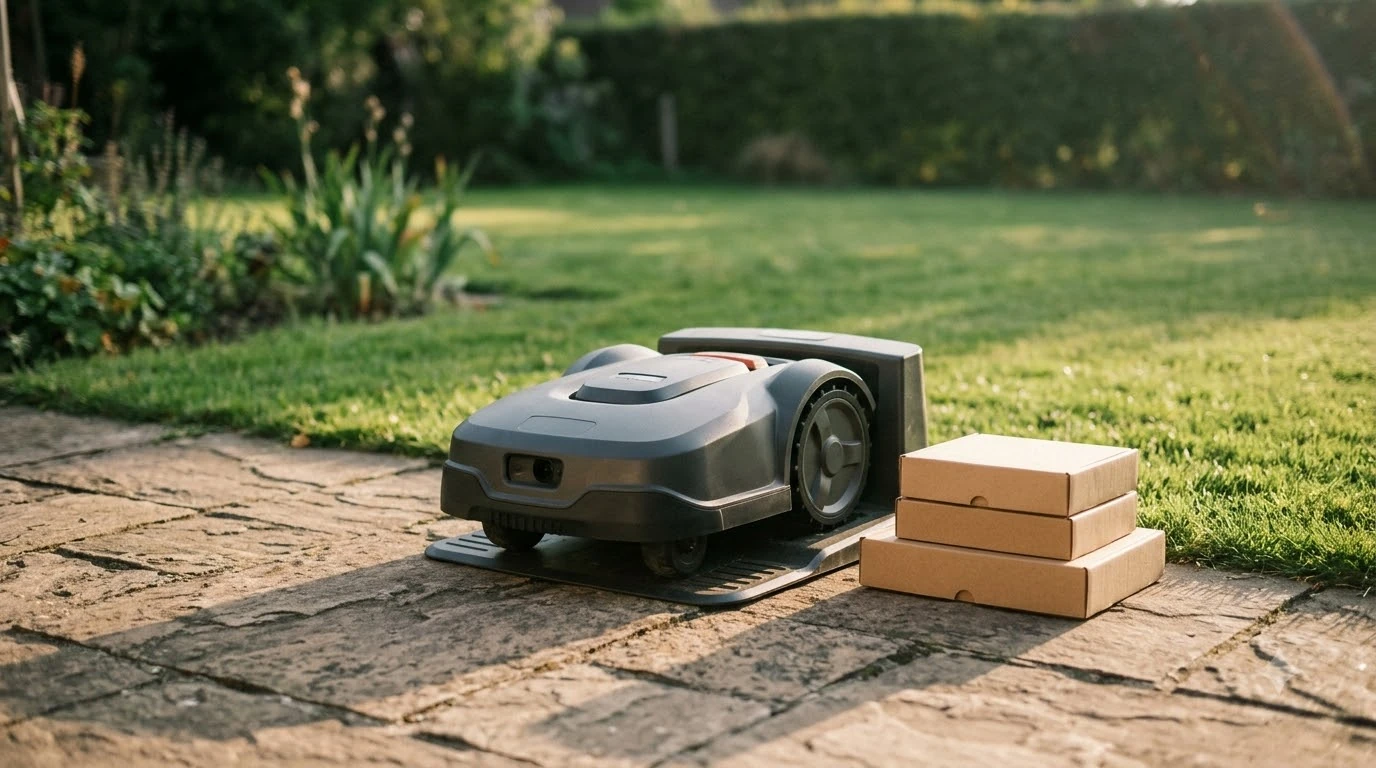

Robot mower charger not working replacement is rarely the first fix. Most charging faults come from dirty contacts, a loose or damaged cable, or a battery near the end of its life. Manufacturer guides suggest checking in that order, and ordering a new station or battery only when those checks fail.
The short answer
- Clean first: dirty or misaligned contacts on the mower and the dock are a common cause, and cleaning costs nothing.
- Check the station: the mower must sit squarely with the charging plates fully touching, and the station cables must be connected and undamaged.
- Read the light: Husqvarna says a flashing red light can mean a damaged baseplate antenna, which an authorized service center should inspect.
- Check battery age: Husqvarna’s support pages put typical battery life between 2 and 5 years, and a mower that keeps returning to the dock early may have a weak battery.
- Replace only a confirmed fault: do not open the mower or station yourself, and take old lithium-ion packs to a collection point.
Robot mower charger not working replacement: match the symptom to the cause
Each behavior points to a different part of the system, so match what you see before you plan any robot mower charger not working replacement. The table below uses the causes that manufacturer support pages name. Where a page gives no cause, the table says so.
| What you see | Likely cause (per manufacturer guidance) | Next step |
|---|---|---|
| Mower does not dock or charge, dirt or grass on the plates | Dirty or misaligned charging contacts | Clean both sides, then reseat the mower |
| Station light flashes red | Baseplate antenna may be damaged (Husqvarna) | Contact an authorized service center |
| Station light is off | Husqvarna refers this to a separate article rather than naming one cause | Check outlet, cord and connections first |
| Mower returns to the dock more often than usual | Battery may no longer hold a full charge (Husqvarna) | Check battery age and ask a dealer |
| Stops on the lawn with an empty battery and no error | Battery can no longer finish a mowing session (Husqvarna) | Plan a battery replacement through a dealer |
| Charging still fails after cleaning | Internal charging module or circuit fault (Eufy) | Contact support with model and photos, do not disassemble |
If the symptom sits in more than one row, start with the cheapest check. Cleaning and cable inspection cost nothing, while a station or battery replacement is a real purchase.
Clean the charging contacts first
Dirty or misaligned charging contacts are the first thing to check, because the mower cannot charge unless the plates touch. Husqvarna asks owners to make sure the mower sits squarely in the station with the charging plates fully touching, and to clear leaves, clippings and debris from the dock area and from the contacts on both the mower and the station. For background on how the mower finds and enters its station, see how robot mower docking works.
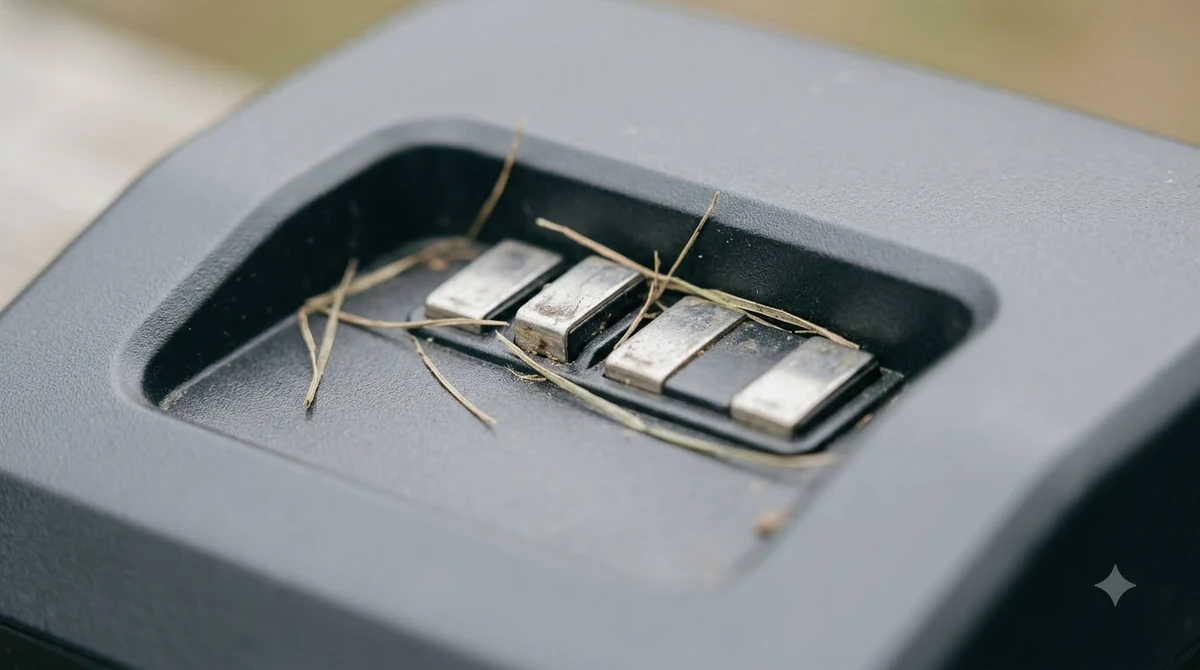
Eufy’s support guide for its E15 and E18 models gives a routine that many owners can adapt. Our reading is that you should follow your own manual’s wording, since contact design differs between brands:
- Power off the mower. Eufy warns to completely power off the mower to avoid the danger of short circuit or electric shock.
- Inspect the port with a flashlight. Remove dirt, grass or dust with a dry cotton swab or a soft brush.
- Polish light oxidation carefully. If the metal contacts show rust, Eufy suggests sandpaper, used with care to avoid excessive abrasion.
- Clean the station pole. Unplug the station’s power cord from the wall first, then wipe the electrode with a gentle cloth moistened with a small amount of isopropyl alcohol.
- Check the fit. With the mower docked, make sure the port and the pole are fully connected. A bent pole can be gently repositioned with tweezers.
If the mower still refuses to charge after a careful clean, move on. Repeated scrubbing does not fix an electrical fault, and Eufy warns against taking the parts apart yourself.
Check the power supply, cables and placement
A dark indicator or a mower that never starts charging often starts with the power cord, the cable connections or the way the station sits on the lawn. Husqvarna’s guidance is to inspect the charging station regularly for loose connections or damaged cables, and to place it on a flat surface with enough free space around it. Placement choices are covered in where to put a robot mower charging station, and the supply side is covered in charging station power requirements.
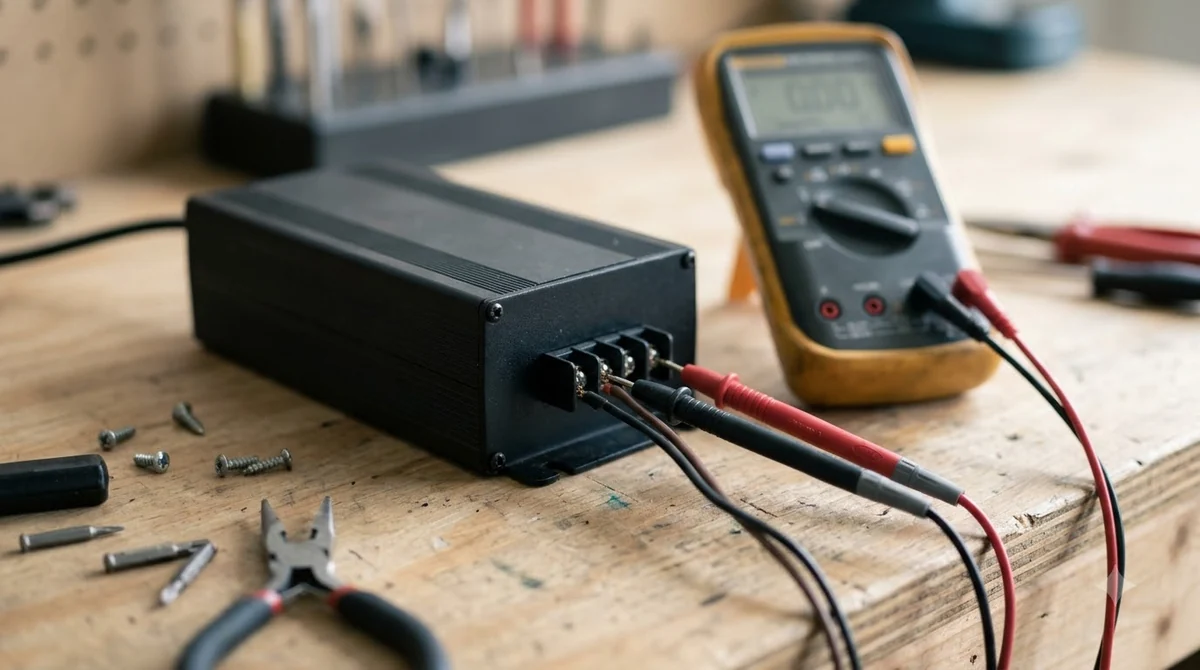
- Connections: confirm every cable is seated at both ends, and look for fraying or kinks.
- Surface and space: the station should sit flat, with clear room in front so the mower can enter straight.
- Shade and heat: Husqvarna recommends a shaded or cool location for the station.
- Obstacles: remove anything that blocks the path to the station, including stay-out zones in the app.
Husqvarna’s page refers a light that stays off to a separate article rather than naming one cause. That is why our reading is to treat a dark light as a reason to check the outlet and cords before you suspect the mower or the battery.
A multimeter can show whether the power supply delivers any output. The readings you should expect depend on your model, so use the values in the manual and do not guess. If you are not comfortable working near mains power, stop at the visual checks and ask a service center.
Check whether the battery is the problem
A battery near the end of its life can look like a charger fault, because the mower returns to the dock early or stops in the middle of the lawn. Husqvarna lists two warning signs: the mower returns to charge more often than usual, and it stops on the lawn with an empty battery and no error message.
Husqvarna’s support article puts typical battery life at 2 to 5 years, while another Husqvarna guide gives 2 to 4 years. Expect a range rather than a fixed date, and expect a shorter life if the mower runs most days over a large lawn. One Husqvarna guide notes that larger lawns mowed daily deplete the battery faster. Our guide to how long a robot mower battery lasts goes deeper on what affects it.
- Temperature: Husqvarna says the mower will not charge if the battery temperature is outside the accepted range, so let a cold or overheated pack return to normal first.
- Storage: after winter, if the mower was stored without a full charge, bring it indoors, place it on the station and leave it for several hours.
- Mode check: Husqvarna also lists Secondary Area mode as a cause of empty-battery errors. Switch back to Main Area mode after mowing a secondary area.
If the contacts are clean, the cables are sound and the mower still returns early, the battery is the likely cause. Our reading is that a dealer test is the quickest way to confirm it before you pay for a new pack.
When a replacement station or baseplate makes sense
A robot mower charger not working replacement is worth ordering only after the cleaning and power checks fail, and only after an authorized service center confirms the fault. Husqvarna says a damaged baseplate antenna stops the mower from entering the station, and the service center can inspect it and replace the baseplate if needed.
Eufy describes a charging-module or circuit fault as a possible internal cause, and advises contacting support with the mower model and clear photos of the charging port and the station pole. It also warns against disassembling the mower or station, because that may void the warranty or create safety risks.
Before you buy any part, check the warranty period, since a repair may be covered. Our reading is that a part bought outside the manufacturer’s channel carries more compatibility risk, so ask the dealer to confirm the exact model number first. Husqvarna advises using genuine spare parts and batteries for compatibility and performance.
Replacing the battery and disposing of the old one
A replacement battery should come from an authorized dealer, and it should be a genuine part. Husqvarna says a dealer can help with battery replacement and recommends genuine Husqvarna spare parts and batteries. Check that the new pack matches your model before you accept it. If you are weighing a different pack than the original, read about upgrading a robot mower battery first.
The old pack needs careful handling. The U.S. EPA says lithium-ion batteries should not go in household garbage or recycling bins. Instead, take them to a recycling or household hazardous waste collection point.
- Protect the terminals. EPA advises taping battery terminals or placing each battery in a separate plastic bag to prevent fires.
- Keep it out of mixed recycling. EPA warns that a battery crushed in sorting equipment can become a fire hazard.
- Handle damage carefully. If the pack is damaged, contact the battery or device manufacturer for specific handling information.
- Treat it as live. EPA notes that even used batteries can have enough energy to injure or start fires.
Frequently asked questions
Why won’t my robot mower charge if the station has power?
Power at the wall does not prove the mower gets power at the plates. Husqvarna’s guidance starts with the docking contacts, which must touch fully. Debris, grass or a mower that sits at an angle can block that contact, so clean and reseat the mower before you assume a fault.
Should I replace the charger or the battery first?
Neither, until you have checked the contacts, cables and placement, because a robot mower charger not working replacement is rarely the first fix. Then look at battery signs, such as returning to the dock more often than usual. Replace the station only if an authorized service center confirms a baseplate or charging fault.
Can I fix a bent charging pole myself?
Eufy’s guide says you can gently reposition a bent pole with tweezers, but only after you unplug the station and power off the mower. If the fault persists, stop and contact support rather than taking the unit apart, since that may void the warranty.
How do I dispose of an old robot mower battery?
Do not put a lithium-ion battery in household garbage or recycling. The EPA advises taping the terminals or bagging the pack separately, then taking it to a recycling or household hazardous waste point. If the pack is damaged, ask the manufacturer for handling instructions first.
Sources
- Automower won’t charge or shows empty battery error (Husqvarna support): contact check, flashing light meanings, battery temperature, baseplate service.
- Automower battery: signs of ageing and how to maximise lifespan (Husqvarna support): aging signs, 2 to 5 year life, cable inspection, dealer replacement.
- Battery life of a robot lawn mower (Husqvarna): 2 to 4 year battery life and daily mowing effect.
- How do I solve the issue of my robot lawn mower not charging properly (Eufy support): cleaning steps, pole repositioning, no-disassembly warning.
- Used lithium-ion batteries (U.S. EPA): disposal, terminal protection, damaged battery handling.
 Up next7 min readGearRobot Mower Accessories Not Worth It: What to Skip FirstUpdated Nov 11, 2026
 8 min readGearBest Robot Mower Garage for Hot Sun: What to Check FirstUpdated Nov 11, 2026
 10 min readGearRTK Base Station Power Cable Outdoor: What to Check FirstUpdated Nov 11, 2026
 8 min readGearBest Outdoor Timer for Robot Mower Charger: Is One Needed?Updated Nov 11, 2026
 9 min readGearBest Lawn Leveling Sand for Robot Mower: Soil First, Then MaterialUpdated Nov 11, 2026
 8 min readGearGPS Tracker for Robot Mower Theft: What Works and What to CheckUpdated Nov 11, 2026