
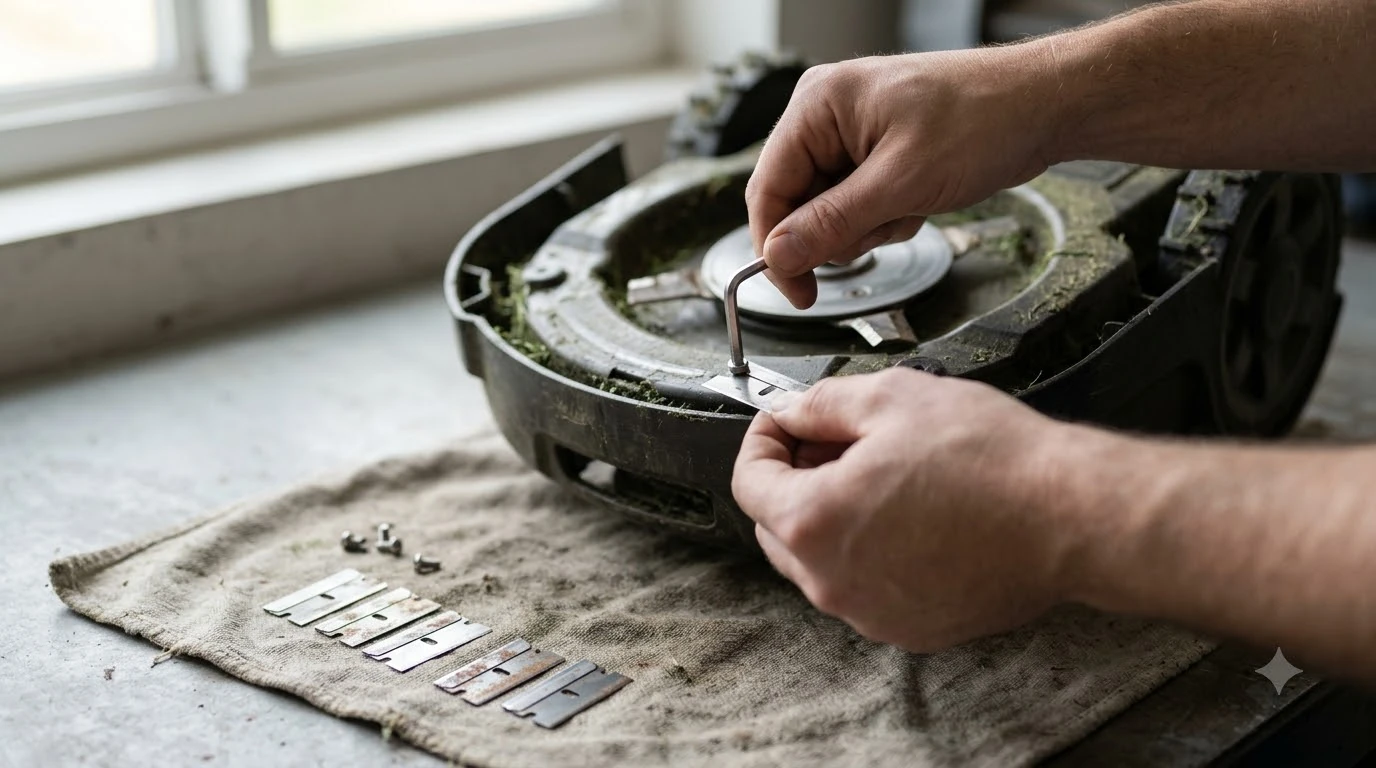

How to sharpen or replace robot mower blades safely: for most small robot mowers, replace worn blades rather than sharpen them, and switch the mower fully off with gloves on before you touch the cutting system. Mammotion notes that many small, replaceable robot mower blades are intended to be replaced rather than repeatedly sharpened. Husqvarna’s guidance also recommends replacing worn blades and gives no sharpening steps. Always check your own manual first.
The short answer
- Sharpen or replace? Replace by default. Sharpen only if your manual allows it and says how.
- Switch off first: stop the mower, move it out of its work area, and follow the model’s power-off procedure.
- Gloves on: keep your hands away from the cutting edges at all times.
- Always use new screws: replace the screws every time you change blades.
- Never mix: do not combine old and new blades or mix blade types on one disc.
When to replace robot mower blades
Blades wear out with use, and the signs are usually visible in the grass before they are visible on the blade. Husqvarna says to replace blades when grass tips look frayed or whitened after mowing, or when the blades show visible wear or damage. Mammotion lists ragged or torn grass tips and uneven cutting over time as the main signs. Blade work is one item in a routine upkeep schedule that also covers the contacts, battery and deck.
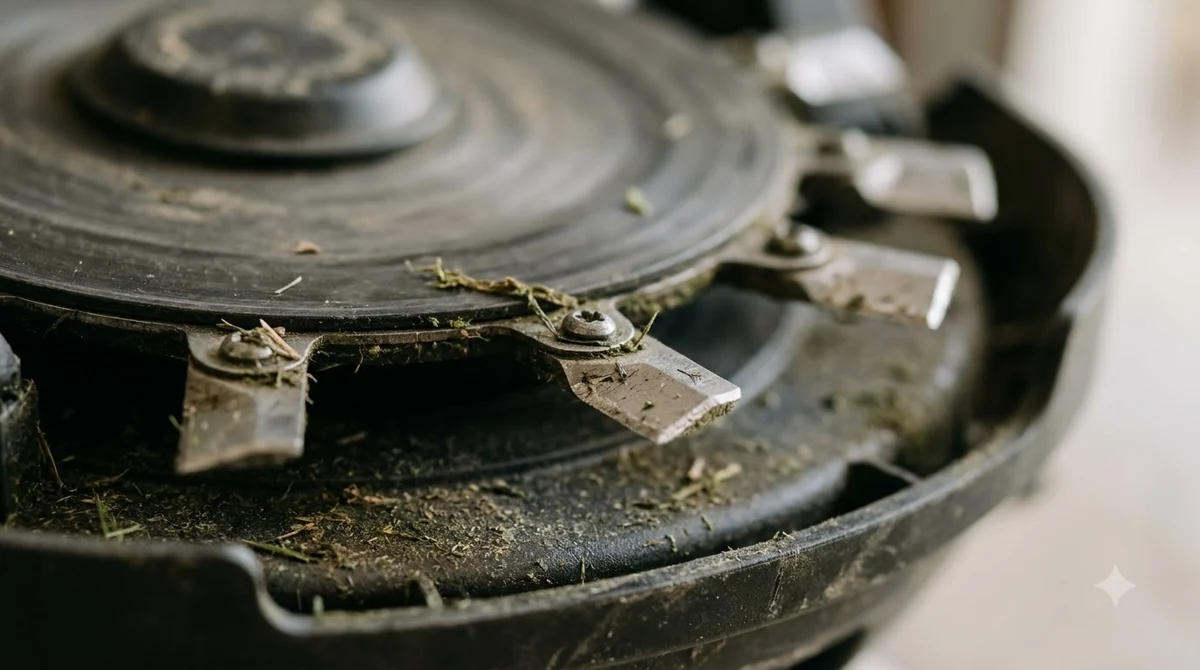
Physical damage is a separate case. Mammotion says a blade that is bent, cracked, chipped, severely worn or loose should be replaced even if it is not due by age. After the mower hits a rock or another hard object, inspect the blade before mowing again.
How long robot mower blades last
Lifespan depends on how much the mower runs, the grass, the soil and the obstacles it meets. Husqvarna gives a rough range of about 3 to 6 weeks for its main disc blades and 9 to 12 weeks for its EdgeCut disc blades. Mammotion takes a different view: blades typically last “several weeks to several months,” and it says operating hours and blade condition are more useful indicators than calendar age alone. Maker recommendations on timing are collected in manufacturer blade change interval, so check it if you want the details behind this point.
| Sign | What it usually means | What to do |
|---|---|---|
| Frayed or whitened grass tips | Blade edge is worn and tearing the grass | Replace the blades, then check the cut again |
| Bent, cracked or chipped blade | Damage that can cause uneven balance | Replace it now, not at the next scheduled change |
| Sticky buildup in spring | Sap and fast growth clog the blades | Clean the blades, and check them more often |
| Uneven cutting after wet grass | Could be wet grass or debris, not the blade | Check conditions and settings before you replace anything |
Our reading is that the calendar is only a starting point. A busy lawn may need new blades every month, while a small, dry lawn may go much longer. Track the mower’s operating hours, and inspect the blades each time you clean the underside.
Sharpen or replace: what the makers say
Mammotion’s guidance is clear about the default: many small, replaceable robot mower blades are meant to be replaced rather than repeatedly sharpened. If you want to sharpen anyway, check the manual first for three things: whether the manufacturer allows sharpening, the correct method, and whether the blade can be reused afterwards. If the manual calls for replacement, use compatible replacement blades and do not modify the originals. If you own a Luba model, Luba replacement blade options lists what fits. Anthbot owners can check Anthbot replacement blade options for compatible parts, and it explains the reasoning in more depth.
Husqvarna takes the same line in practice. Its blade guidance does not describe sharpening at all and recommends replacing worn blades. Husqvarna also says to use only original blades and screws for its mowers, so a sharpened or modified blade is outside its guidance.
Heads up
Husqvarna warns that an unbalanced blade set can cause noise and vibration. Hand sharpening can easily change a blade’s balance, so an unevenly sharpened blade is a poor trade for a few saved dollars.
How to sharpen or replace robot mower blades safely, step by step
Husqvarna’s blade guide covers the safety basics well, and the steps below apply to most models. The exact power-off step differs by model, so follow the one in your manual.
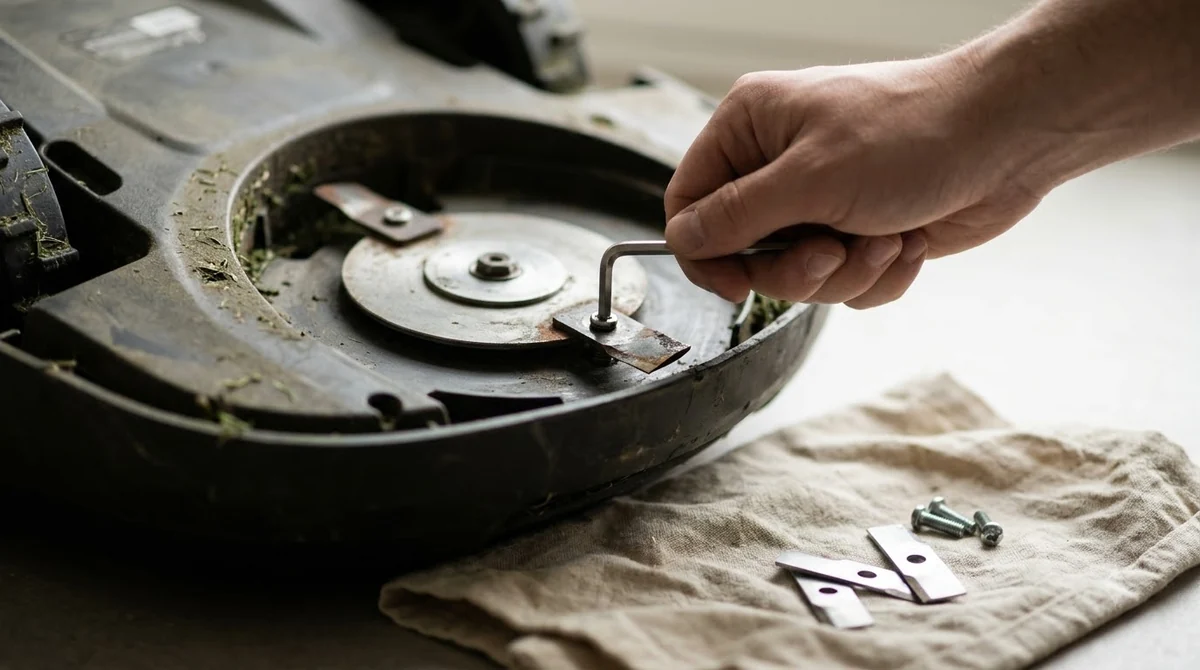
- Stop the mower and move it out of its work area. Mammotion advises following the model’s shutdown or power-disconnect procedure. Do not assume the mower is safe because it is paused or charging.
- Power it off completely. On Husqvarna jog-wheel models use the “Power off” option, and on keypad models use the ON/OFF button.
- Put on protective gloves and turn the mower upside down. Use a clean, soft surface so the cover is not scratched.
- Remove the old blade and its screw. Discard the old screw, because Husqvarna says reused screws may loosen during operation.
- Fit the new blade with a new screw. Use one blade per screw, and use only blades and screws approved for your model.
- Check that the blade moves freely. Husqvarna says blades should spin freely once fitted, and it treats that as a safety feature rather than a fault.
- Reset the blade counter in the app. In the Automower Connect app, go to More, then Statistics, and tap Reset under Blade Usage.
After a blade change, run the mower on a short test pass and watch the grass tips. If the cut still looks ragged, check the other causes before you blame the blades.
Blade replacement mistakes to avoid
- Reusing screws. Husqvarna says to replace screws every time, because old screws can loosen.
- Mixing blades. Do not combine new and old blades, or different blade types. Husqvarna warns this can unbalance the disc and cause noise or vibration.
- Working with power on. Keep the mower off and gloved whenever a hand is near the blades.
- Ignoring damage. A bent or cracked blade should be replaced at once, even if it looks like it has life left.
- Sharpening without checking. Confirm the manufacturer allows it before you try.
Related reads: A common mistake is letting the mower run over debris, as damage from mowing over sticks explains. Hard seeds can chip blades too, which acorns and pine cones on the lawn discusses.
Frequently asked questions
Can I sharpen robot mower blades instead of replacing them?
Mammotion says many small, replaceable robot mower blades are meant to be replaced rather than repeatedly sharpened. Check your manual before sharpening. If it calls for replacement, use compatible blades instead.
How often should robot mower blades be replaced?
It depends on use. Husqvarna gives about 3 to 6 weeks for main disc blades and 9 to 12 weeks for EdgeCut disc blades. Mammotion says operating hours and blade condition matter more than age, so follow the manual and inspect the blades often.
Is it safe to change robot mower blades myself?
Yes, when the mower is switched off completely, you wear gloves, and you keep your hands away from the cutting edges. Follow the power-off steps in your manual, and replace the screws every time.
Do I need to reset anything after changing blades?
On Husqvarna’s app, go to More, then Statistics, and tap Reset under Blade Usage after fitting new blades. This keeps the blade-life record accurate.
Sources
- How and when to change blades on your Automower (Husqvarna): replacement signs, lifespan ranges, screw and blade-mixing rules, and the blade usage reset.
- How long do robot mower blades last (Mammotion): lifespan wording, damage signs, and the sharpen-or-replace guidance.
 Up next10 min readLearnHow to Replace Worn Rubber Treads on Robot Mower WheelsUpdated Nov 19, 2026
 7 min readLearnHow Much Does a Robot Mower Charging Station Cost to Replace?Updated Nov 12, 2026
 8 min readLearnDo Robot Mowers Replace a Regular Mower?Updated Nov 11, 2026
 8 min readLearnHow to Clean Robot Mower Sensors Safely, Step by StepUpdated Nov 12, 2026
 9 min readLearnHow to Keep Slugs and Snails Out of a Mower Dock SafelyUpdated Nov 19, 2026
 9 min readLearnCan You Paint or Wrap a Robot Mower Shell Safely?Updated Nov 19, 2026