
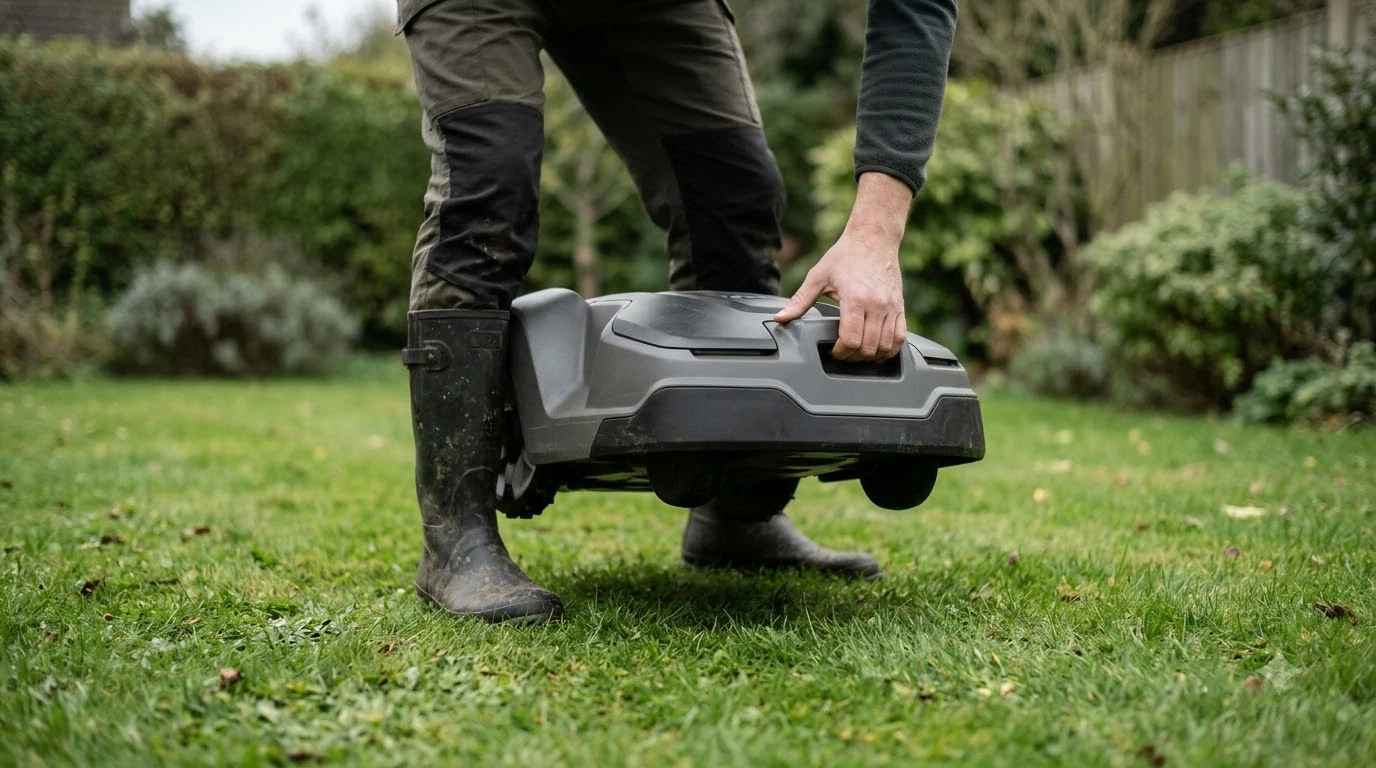

The best robot mower that does not get stuck is one whose limits match your lawn, because no model is guaranteed never to trap itself. Look for a grass height limit above your lawn, a slope rating above your steepest section, and enough clearance around obstacles. Husqvarna’s support documentation, read on 2026-11-10, names the usual causes and gives the numbers below. Use them to shortlist models, then check the manual of the model you plan to buy.
The short answer
- Common causes: obstacles such as outdoor furniture, narrow passages, grass that is too long, and grass clumps that block the blade disc.
- Grass height: Husqvarna sets a maximum height per model, from 4 cm (1.6 in) to 10 cm (3.9 in).
- Slope: work-area ratings run from 25% to 70%, and boundary-wire ratings are always lower for the same model.
- Clearance: keep 1.5 m (5 ft) between the boundary wire and obstacles, and at least 50 cm (1.6 ft) of level ground before a steep slope.
- Repeat trapping: fence off the spot with a stay-out zone or island instead of changing the whole map. This is the cheapest fix when a best robot mower that does not get stuck is still trapping itself in one place.
What usually gets a robot mower stuck
Most stuck events have one of a few causes. Husqvarna’s trapped-error page lists four: the mower is blocked behind an object such as outdoor furniture, the work area has small or narrow passages, the grass is too long for the model, or grass chunks stop the blade disc from turning. Each one has a different fix, so the first step is to find out which one is happening. If the cause is a tight gap, read how robot mowers deal with narrow paths first.
The list is short because it describes what the mower can physically do. A mower with a low grass limit will struggle in a lawn that has grown past that limit between cuts. A mower with a tight turning area will struggle in a yard full of furniture and narrow gaps; our guide to how a robot mower handles garden furniture covers that case. Our reading is that most “stuck” complaints come from a mismatch between the lawn and the model’s limits, not from a single fault.
Check the grass height limit before you buy
Each Husqvarna model has a maximum grass height, and the page says to keep the grass at or below it. The limits fall into three groups, so a lawn that is cut short most weeks may fit a low-limit model, while a lawn that is allowed to grow long between cuts needs a higher limit.
| Maximum grass height | Husqvarna models listed |
|---|---|
| 4 cm (1.6 in) | Aspire R4, 105, 305 |
| 6 cm (2.5 in) | 305E NERA, 310E NERA, 405XE NERA, 410XE NERA, 308V, 312V, Aspire R6V, 405VE NERA, 410VE NERA |
| 10 cm (3.9 in) | 305 Mark II, 310, 310 Mark II, 315, 315 Mark II, 315X, 405X, 415X, 420, 430X, 440, 450X, 435X AWD, and the NERA variants of 320, 430X, 450X, 430V, 450V |
The practical point is simple: if your grass regularly reaches 4 cm, a 4 cm model will trap itself, and a 10 cm model will not. Compare the limit on the spec sheet with how tall your lawn gets in its worst week, not in an average week. For the best robot mower that does not get stuck on tall grass, the height limit is the first filter.
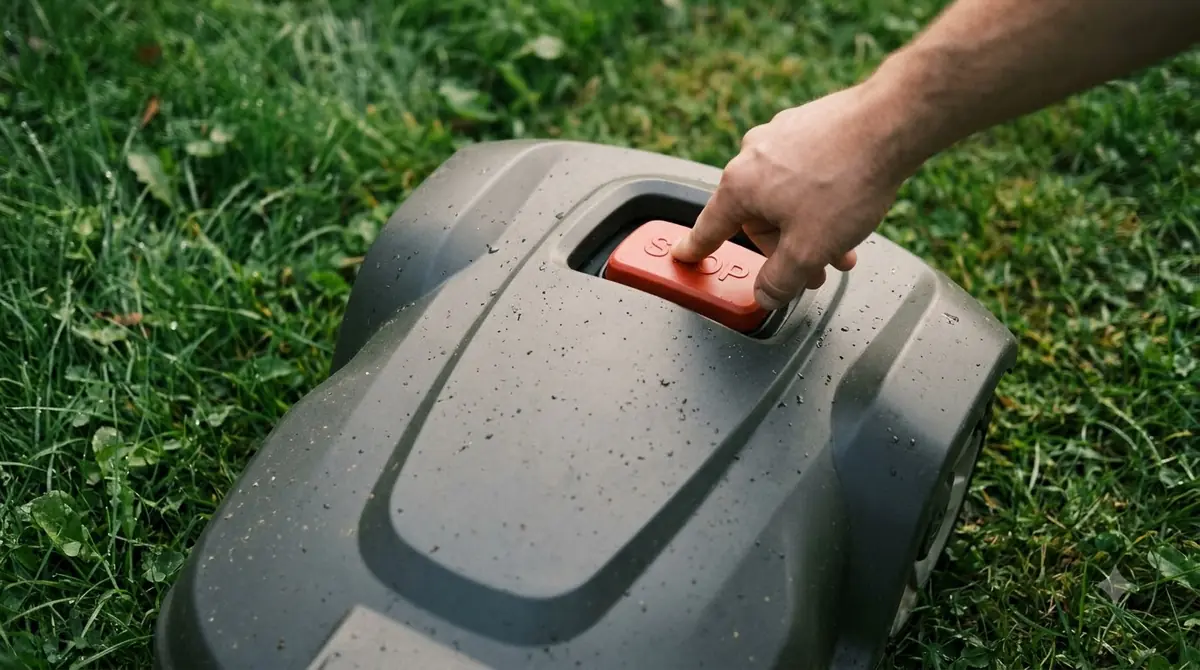
Slope ratings: the work area and the boundary wire differ
Husqvarna gives two slope numbers for every model it lists: one for the work area and one for the boundary wire. The boundary rating is lower in each case, because the wire has to hold the mower on steep edges, so the wire is the limit you should compare first.
| Work area slope | Boundary wire slope | Models listed |
|---|---|---|
| 25% | 10% | Aspire R4 |
| 25% | 15% | 105 |
| 30% | 20% | 305E, 310E, 405XE, 410XE, 405VE, 410VE NERA |
| 40% | 15% | 305, 310, 310 Mark II, 315, 315 Mark II, 315X, Aspire R6V, 308V, 312V, 405X, 415X, 420, 430X, 440, 450X |
| 50% | 25% | 320 NERA, 430X NERA, 450X NERA, 430V NERA, 450V NERA |
| 70% | 50% | 435X AWD and 435X AWD NERA |
Husqvarna also asks for room before a slope. It recommends at least 50 cm (1.6 ft) of level ground between the flat lawn and any steep section, and it advises placing the wire further in on flat ground when the outer edge of the lawn drops away. Measure the steepest part of your yard with a level or a slope app before you compare any of these numbers. A slope rating above that measurement is the second filter for the best robot mower that does not get stuck on hills.
Heads up
These ratings are for Husqvarna models only. Other brands publish their own figures in their manuals, and they do not always use the same two-number system, so compare each brand against its own documentation.
Obstacles, narrow passages and the boundary wire
Most of the space problems come from obstacles the mower has to route around. Husqvarna asks for 1.5 m (5 ft) between the boundary wire and any obstacle, and between obstacles themselves. On slopes between 50% and 70%, the page goes further: avoid obstacles on the slope entirely, and keep 1.5 m between the bottom of the slope and the boundary wire.
The same page says that a gap which is too small between the wire and an island or object is a reason to move the wire, so the wire layout is part of the fix as well as the model choice. A narrow gap between a flower bed and a wall is one case where, in our reading, moving the wire outward is the first thing to try before changing models.
Wire-free models change how the boundary is set up. Husqvarna’s wire-free systems use points drawn in the app, and you can move those points to widen a passage or change an area. The page does not give a fixed distance for this, so the amount of room you need still follows the 1.5 m rule above where it applies. Our reading is that a wire-free layout is easier to correct after the mower has trapped itself, because you change points on a map instead of digging up wire.
Stop repeat trapping in one spot
A mower that keeps getting stuck in the same place is usually reacting to one object or one narrow gap. Husqvarna’s fix is to isolate that spot rather than redraw the whole yard. If you need help with the app side, see how to set up no-go zones on a robot mower. The steps below follow the page’s order.

- Move the mower out. Carry it to an open, obstacle-free area and restart it after clearing the obstacle.
- Fence off the spot. Create a stay-out zone or an island around the place where it keeps trapping itself.
- Expand if needed. If the mower still collides with the same object, enlarge the isolated area so the mower has more room to turn.
- Clean the blades. Remove grass chunks that stop the blade disc from rotating, since a jammed disc can look like a trap. Our best robot mower cleaning brush guide covers a quick option.
- Check the height setting. If the grass is above the model’s limit, lower it on a regular schedule instead of letting it grow out.
Each step is a small change, so test one at a time. If the mower still traps itself after the zone is set, the problem is more likely the model’s limits than the layout, and the height and slope tables above are the next place to look. In short, the best robot mower that does not get stuck is the one whose limits fit your yard.
What to check in a best robot mower that does not get stuck
A simple order of checks saves time when you compare models for a best robot mower that does not get stuck in your yard. Start with the rule that rules out the most options, then move to the finer details.
- Grass height limit. Confirm the model’s maximum height is above how tall your lawn gets between cuts.
- Steepest slope. Compare the work-area rating with your steepest section, and the boundary rating with the steepest edge you plan to wire.
- Obstacle plan. Map the furniture, beds and gaps, and check each gap against the 1.5 m guideline. Models with sensors for this are covered in our list of robot mowers with obstacle avoidance.
- Wire or wire-free. Decide whether you want a buried or staked boundary, or a map-based setup, and check how each one is changed.
- Support and manual. Read the trapped and slope sections of the manual for the exact model before you buy.

Frequently asked questions
Is there a robot mower that never gets stuck?
No. The manufacturer documentation lists causes such as obstacles, narrow passages, grass that is too long and blocked blades. A model can reduce these problems but cannot remove them, so the yard layout matters as much as the machine.
What grass height is too tall for a robot mower?
It depends on the model. Husqvarna lists limits from 4 cm (1.6 in) to 10 cm (3.9 in). Check the maximum for your exact model, and keep the grass at or below that height.
Is the slope rating the same for the wire and the work area?
No. For every Husqvarna model in its table, the boundary-wire rating is lower than the work-area rating. For example, the 105 is rated 25% for the work area and 15% for the boundary wire.
Does cleaning the mower help it avoid getting stuck?
Yes, in one specific case. Husqvarna says grass chunks can stop the blade disc from rotating, and removing them is part of the fix. Cleaning does not address slopes, height limits or obstacles.
Sources
- Trapped – Automower error message (Husqvarna): causes of the trapped error, maximum grass height by model, stay-out zone fix, wire adjustment and wire-free area edit.
- Optimising an Automower installation for steep slopes (Husqvarna): work-area and boundary slope limits by model, 50 cm level transition, 1.5 m obstacle distance.
 Up next8 min readBest Robot MowersBest Robot Mower That Works in the Rain: What to Check Before You BuyUpdated Nov 11, 2026
 9 min readBest Robot MowersBest Robot Lawn Mower for 2 Acres: What to Check Before You BuyUpdated Nov 11, 2026
 8 min readBest Robot MowersBest Robot Mower for Beginners: What to Check Before You BuyUpdated Nov 11, 2026
 8 min readBest Robot MowersBest Robot Mower With No Subscription Fee: What to Check Before You BuyUpdated Nov 11, 2026
 8 min readBest Robot MowersBest Robot Lawn Mower for 5 Acres: What to Check Before You BuyUpdated Nov 11, 2026
 10 min readBest Robot MowersBest Robot Lawn Mower for Busy Families: What to Check Before You BuyUpdated Nov 11, 2026