
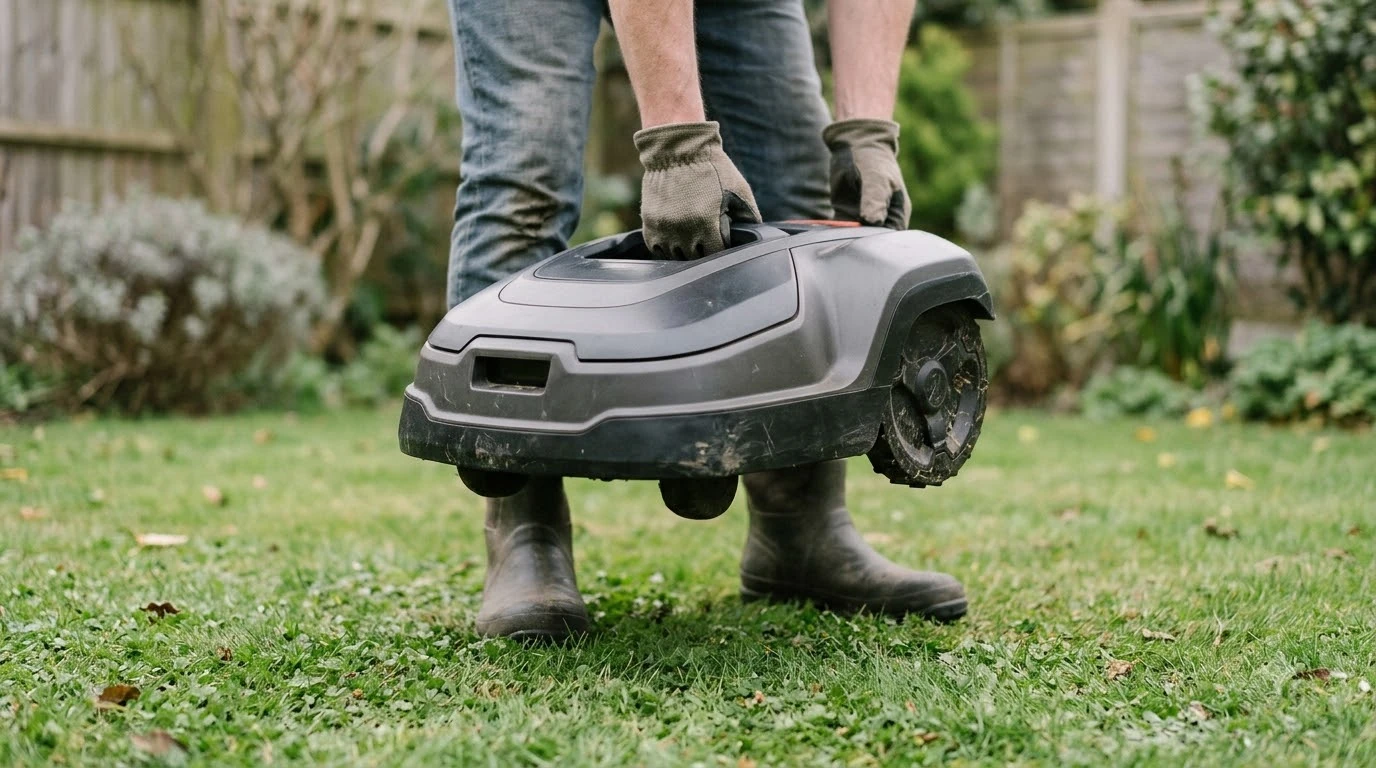

How to transport a robot mower in a car comes down to four steps: power it off, check the weight, lift it with your legs, and lay it flat on its wheels in the trunk. Weights vary a lot by model, so check yours before you lift. Disable any GeoFence setting first, and read your owner’s manual for battery steps before you load the mower.
The short answer
- Before you start: turn the mower off and disable GeoFence if your model has it.
- Weight: check the listed weight, which runs from about 21 lb to about 40 lb in the examples we read.
- Lifting: bend at the hips and keep the load close to your body.
- Transit: keep the mower on all of its wheels, on a flat surface, and stop it from sliding.
- Battery: follow the transport steps in your model’s manual, since they differ by brand.
How to transport a robot mower in a car: before you start
Preparation decides whether the trip goes smoothly. Turn the mower off and disable GeoFence before you move it, because Husqvarna’s support page says to disable GeoFence before turning the product off if you take it outside the area. GeoFence is available on selected Automower models only, so check whether your mower has the feature at all. If you are moving the mower for good, our guide on how to move a robot mower to a new house covers the wider job.

Start with a charged battery, so make sure the mower is fully charged and turned off. Husqvarna gives that same starting point for storage, and it is a sensible baseline for a trip too. Our reading is that a mower with a low battery should be charged at home before you move it, so you are not hunting for a charger at the destination.
- Turn the mower off. Use the control panel or the app, so the mower is not left in an active state when you lift it.
- Disable GeoFence if it is set. Do this before you power down, not after, as the Husqvarna page describes.
- Clear loose clippings. A clean body is easier to grip and keeps the trunk tidy.
- Read the battery section of your manual. Battery removal steps differ by model and brand, so do not copy another brand’s method.
Check the weight before you lift
Weight decides whether you can carry the mower alone. The listed weights we read are not the same across brands, so look up your exact model before you plan how to transport a robot mower in a car. Our page on how much a robot mower weighs gives more context.
| Mower | Listed weight | Source type |
|---|---|---|
| Husqvarna Automower 435 iQ AWD | 39.9 lb | Manufacturer product page |
| WORX WR165 | 21 lb (for yards up to 1/8 acre) | Family Handyman review list |
The 39.9 lb unit is almost twice as heavy as the 21 lb unit, and that difference matters when you are moving the mower alone. Our reading is that a mower above about 30 lb is a two-person lift for most adults, although none of the sources we read sets that limit. The owner’s manual or the manufacturer’s product page is the most reliable source for weight, because retailer listings can differ from the official figure. A second person also helps you guide the mower over the trunk edge without bumping the body.
Lifting it into the car
Lifting is the hardest part of how to transport a robot mower in a car. Lift the mower with your legs and keep it close to your body. Penn State Extension advises keeping a handle at mid-waist height, pushing rather than pulling, and hinging at the hips with the lower back straight. Its guidance also warns that lifting a 10 lb load incorrectly can put about 100 lb of pressure on the lower back.

- Open the trunk or hatchback first. Clear the space so you are not reaching or twisting while you lift.
- Bend at the hips. Keep your back straight and lift with your legs, not your lower back.
- Carry the mower close. The further the load is from your body, the more strain falls on your back.
- Ask for help above your comfort limit. A second person is the simplest fix for a heavier unit.
A small ramp or a sturdy tailgate can reduce the lift. Our reading is that a ramp only helps if it is firm, wide enough for the wheels, and not slippery when wet. A ramp that flexes under the mower can make the lift harder, not easier, so test it with your hands before you commit. Many models also have a lift sensor that stops the blades when the body is raised, so a lifted-mower message during loading is normal, as our note on the robot mower lifted error explains.
Securing a robot mower flat in the trunk
Securing the mower flat is the final step. Keep it on all of its wheels and on a level surface while it travels. That is the same position Husqvarna recommends during storage, and it stops the body from rocking or tipping. A mower stood on its side can shift, scuff its shell, or damage the wheels.
- Lay it flat: place the mower on its wheels in the trunk, not on its side.
- Stop it sliding: use a blanket or a fitted mat so it does not move on the floor.
- Tie it down: run straps through the trunk anchor points so it cannot shift in a stop.
- Keep the blades clear: do not let the blades touch the car interior or other cargo.
Our reading is that tying the mower down is part of how to transport a robot mower in a car safely, even on a short trip, because a lightly secured mower can shift in a sudden stop. The same rule applies in a hatchback, where the load can slide forward under braking.
Battery and power: what to check
Power the mower off before any battery work, and read the battery section of the owner’s manual for your model. Husqvarna’s support page covers storage and charging, but it does not describe how to lift the mower or remove the battery for transport. Because that information is missing from the page we read, do not assume the battery steps are the same across brands. Our guide on robot mower battery storage and charge level adds general context.
If your mower is damaged, such as a cracked casing or a swollen battery, do not load it into a car until you have checked the manufacturer’s guidance. See what to do if a robot mower battery is swollen for the next steps. Our reading is that a damaged unit should not ride in the passenger area.
Our reading is that the safest plan for how to transport a robot mower in a car starts with the heaviest part of the job, the lift. Check the weight, get help if you need it, and keep the mower flat and tied down for the drive.
Frequently asked questions
Can a robot mower ride in the back seat?
It can fit in some cars, but a back seat is not a secure place to carry one. The safest way to transport a robot mower in a car is in the trunk. Lay it flat on its wheels in the trunk or cargo area and tie it down, so it cannot shift in a stop.
Can one person lift a robot mower into a car?
Some models are light enough for one person, such as the 21 lb WORX WR165 listed in one review. Heavier units such as the 39.9 lb Husqvarna Automower 435 iQ AWD are harder to lift alone, so check your model’s weight first.
Should I remove the battery before transport?
Check your owner’s manual, because the steps differ by model. Husqvarna’s support page does not cover battery removal for transport, so follow the manufacturer’s instructions for your exact mower.
Is it safe to drive with the mower loaded?
It is safe when the mower is powered off, lying flat on its wheels, and tied down. A loose mower can slide or tip during braking, so secure it even on short trips.
Sources
- Automower support center (Husqvarna): storage position on all wheels, fully charged and off before storage, GeoFence note for moving outside the area.
- Automower 435 iQ AWD (Husqvarna): listed weight of 39.9 lb.
- Best accessible lawn mowers (Family Handyman): WORX WR165 listed at 21 lb.
- Healthy tips to garden with fewer aches and pains (Penn State Extension): lifting posture and lower back load.
 Up next8 min readLearnHow to Tell If a Robot Mower Battery Is FailingUpdated Nov 12, 2026
 7 min readLearnHow to Update Dreame A1 Pro Firmware: Over-the-Air Updates ExplainedUpdated Nov 12, 2026
 6 min readLearnWhere to Find the Serial Number on a Robot Lawn MowerUpdated Nov 12, 2026
 8 min readLearnWhat Tools Do You Need to Install a Robot Mower?Updated Nov 12, 2026
 8 min readLearnHow to Tell If a Robot Mower Battery Is SwellingUpdated Nov 12, 2026
 7 min readLearnDoes a Robot Mower Reduce Ticks in the Yard?Updated Nov 12, 2026