
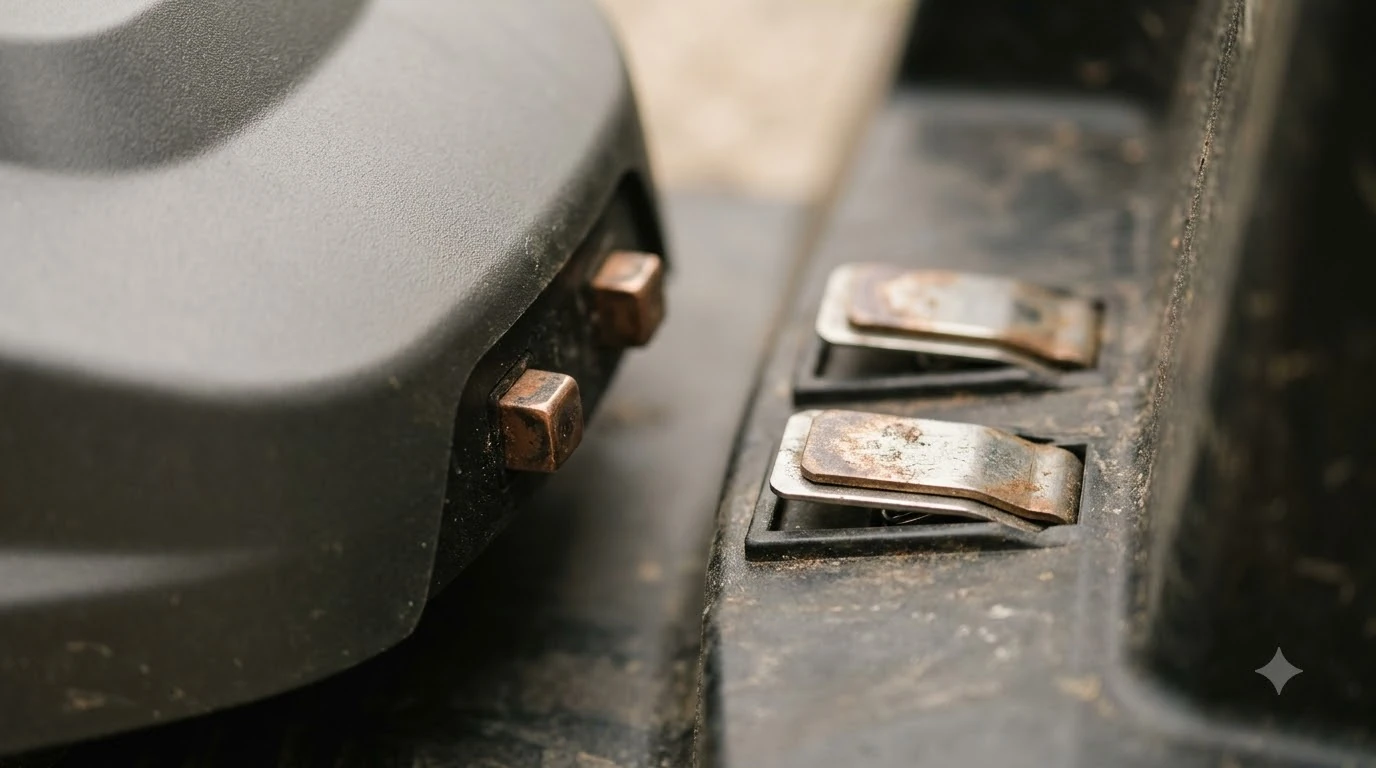

Why does my robot mower keep going back to the charger? Usually it is reacting to a low battery, a docking attempt that fails, or a poor charging contact. Some trips home are normal, so the first job is to tell a routine return from a repeated failure. A few checks at the station will show which one you have.
The short answer
- Some returns are normal. A mower that goes back to charge when the battery runs low is doing its job.
- Repeated trips point to docking trouble. Dirty or bent contacts, a blocked path or a weak base can make it try again and again.
- Check the power and the base light. A fault in the supply or an off base light can stop charging even when the mower reaches the dock.
A low battery sends it home
A robot mower is designed to return to its station when the battery drops below a set level, then charge and go back to work. If the trip happens once or twice a day and the mower finishes its schedule, nothing is wrong. Our reading is that the question to ask is whether the mower charges fully and returns to the lawn, not whether it goes home at all. A weak pack can also send the mower home early, as when a failing battery sends it home explains.
If the mower returns too early, check the battery health and the mowing area. A large or thick lawn drains the battery faster, so the trips become more frequent. Checking the battery can reveal a weak pack that needs replacing.
Failed docking attempts
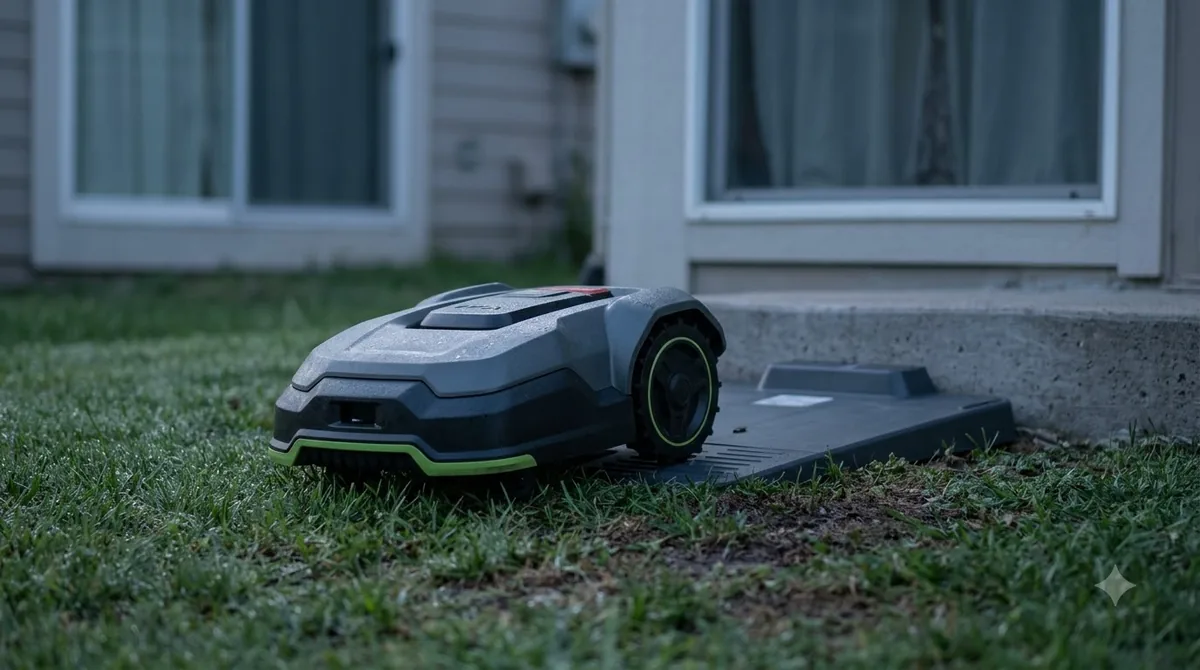
If the mower reaches the station but does not dock, it backs off and tries again. Husqvarna’s support article on the charging station blocked message says the mower shows that message when it cannot dock after several attempts. The usual causes are poor contact between the charging strips and the station plates, or an object in the docking path. Clear the path, straighten any grass or leaves, and make sure the station sits on level ground. The reverse fault, where the mower never arrives, is covered in a mower not returning to base with its own checks. Docking faults on one popular brand are described in Worx Landroid docking failures, including the usual causes. A similar case on another brand is Luba stuck at the charging station, which lists what to try first.
Dirty or bent charging contacts
Eufy’s troubleshooting page lists debris in the mower’s charging port or on the base pole, oxidation or corrosion, and a bent charging pole as common causes. Wipe the contacts on both the mower and the base with a dry cloth, and clean any corrosion with a soft brush. If a pole is bent, straighten it gently or replace the part. A bent contact can prevent full contact even when the mower lines up.
Power supply and the base light
Worx’s support page on a mower that does not charge lists four causes: a power supply fault, a docking or contact problem, a fully discharged battery, and a base LED that is off or flickering. Check that the adapter is plugged in and the outlet has power. Look at the base light when the mower is on it. A light that is off or flickers points to the power supply or the connection rather than the mower. The base light often points to the fault, and what the base light colors mean explains the common codes. Once the base light and supply check out, it is fair to ask whether charging a robot mower overnight is safe for the battery and the station.
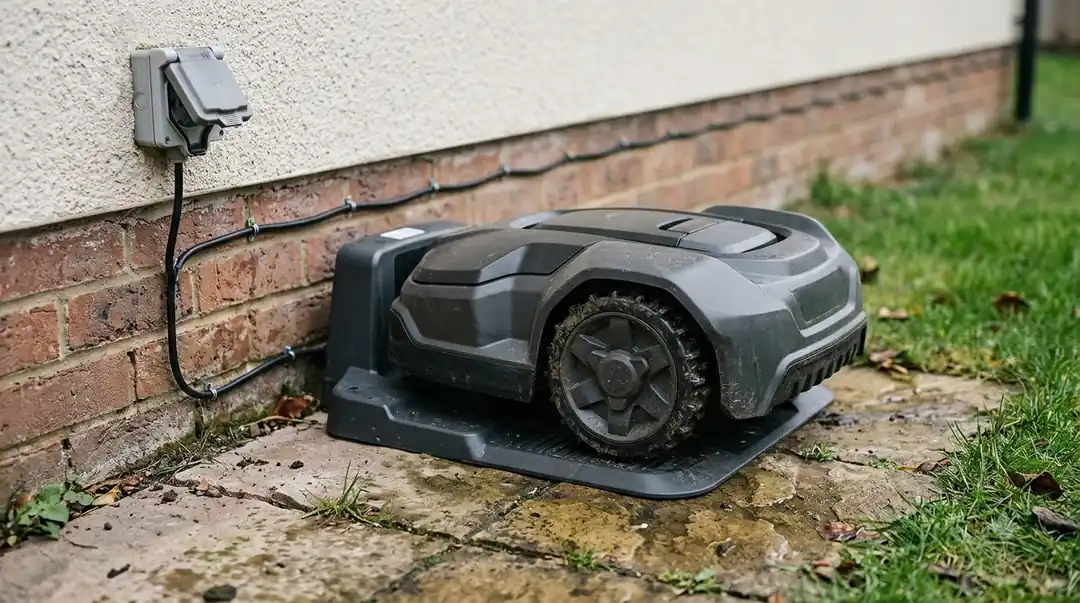
Use the Worx troubleshooting page for the exact light patterns on your model, since the meanings differ by brand.
A simple order of checks
If you are still asking why does my robot mower keep going back to the charger after these checks, the trips may be a symptom of a weak battery or an intermittent contact. Note how many trips happen each day and whether each one ends with a full charge. That detail changes the advice, so keep it when you call a dealer.
Work through the causes from the easiest to the hardest. First, confirm the base has power and the light is steady. Second, clean the contacts on the mower and the base. Third, clear the docking path and level the station. Fourth, check the battery if the mower still returns without charging. If none of these fixes the trips, contact support with the model and the base light pattern, since a faulty charging board or battery needs a technician.
Keep the station protected and clean
A station that sits in standing water, under falling leaves or beside a sprinkler head is more likely to cause docking trouble. Water and debris can build up on the charging plates and the base pole, which is where contact problems start. Place the station on a firm, level base where it stays dry, and clear fallen leaves from the approach at least once a week in autumn. Keeping the station sheltered helps, and Navimow charging station cover guidance describes what a cover can and cannot do.
A cover or a small roof over the station can reduce the cleaning work, but it should not block the mower’s path or trap heat. Check that the cover leaves the contacts visible for inspection. Our reading is that a light cover is worth using in wet climates, while a cover that hides the contacts only hides problems.
Check the contacts on both sides every few weeks. Look for a white or green powder on the metal, dark pitting, or a pole that leans. Clean with a dry cloth or a soft brush first, use a mild cleaner only if the manual allows it, and dry the parts before the mower docks again.
Frequently asked questions
Is it normal for a robot mower to keep going back to the charger?
It is normal when the trips happen as the battery runs low and the mower then finishes its schedule. Repeated failed docking attempts are not normal.
What does charging station blocked mean?
On Husqvarna models it means the mower could not dock after several attempts. Check the contacts, the docking path and the station’s position.
Can dirty charging contacts cause repeated returns?
Yes. Debris, corrosion or a bent pole can stop full contact, so the mower tries again and again.
When should I replace the battery or the charger?
After you have checked the contacts, the path and the power supply, and the mower still will not charge. Ask a dealer to test the battery and charging board.
Sources
- Husqvarna: charging station blocked message (manufacturer): cannot dock after several attempts; contact strips, station plates and obstacles.
- Eufy: robot lawn mower not charging properly (manufacturer): debris, oxidation or corrosion, and bent charging pole.
- Worx: the mower does not charge (manufacturer): power supply fault, docking or contact problem, discharged battery, base LED.
 Up next6 min readLearnWhy Does My Robot Mower Keep Going Back to the Dock?Updated Nov 14, 2026
 7 min readLearnWhy Does My Robot Mower Keep Stopping at the Boundary Wire?Updated Nov 13, 2026
 8 min readLearnWhy Does My Robot Mower Keep Losing RTK Signal?Updated Nov 10, 2026
 7 min readLearnDoes a Robot Mower Charger Need Its Own Circuit Breaker?Updated Nov 12, 2026
 6 min readLearnWhy Does My Robot Mower Stop in the Middle of the Lawn?Updated Nov 14, 2026
 6 min readLearnWhy Does My Robot Mower Spin in Circles? Causes and FixesUpdated Nov 14, 2026