
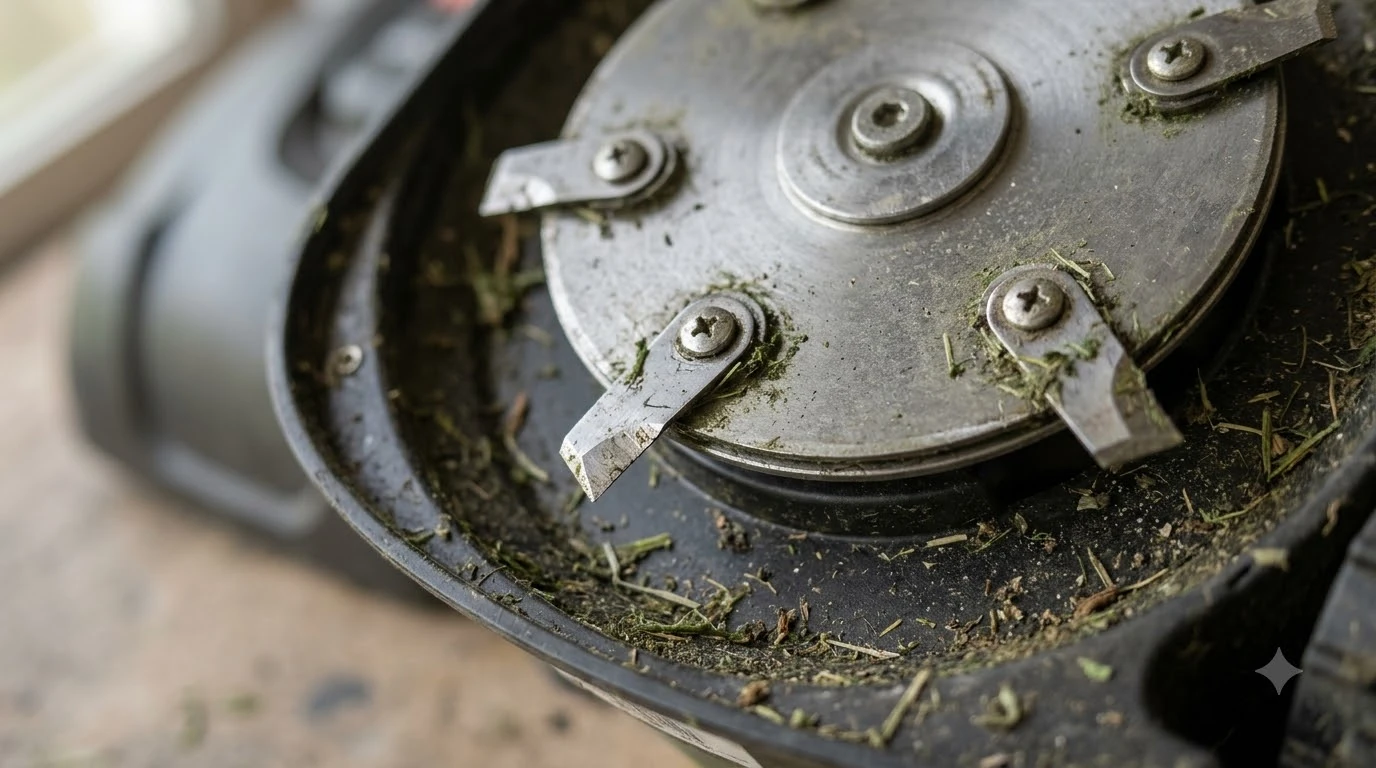

A robot mower blade motor error usually means the cutting system is blocked or working under extra load. The causes listed in the Husqvarna guidance we read are debris wrapped around the blade disc, grass taller than the model allows, a slope steeper than the model’s limit, and a mower stuck on an object. Check those before you restart or call a dealer, and read the exact wording in your app, because brands name the same problem differently.
The short answer
- Read the message. Husqvarna calls the blade disc fault “Cutting system blocked,” not a blade motor error.
- Clear the disc. Remove grass, string, and objects from around the blade disc, the wheels, and under the deck.
- Check the limits. Compare cutting height and slope with your model’s maximum in its manual.
- Restart once the cause is gone. If a restart and factory reset fail, contact a dealer.
What a robot mower blade motor error means
Brands do not share one name for blade faults. Husqvarna’s “Cutting system blocked” message (KA-01451) covers the blade disc, wheels, and deck, while its “Wheel motor overloaded, right/left” message (KA-01456) points to a drive wheel that is working against resistance and shows code 86. Matching the message to the right part saves time.
| Husqvarna message | What it points to | First check |
|---|---|---|
| Cutting system blocked (KA-01451) | Blade disc, wheels, or deck is blocked | Clear debris, then check cutting height and slope |
| Wheel motor overloaded, right/left (KA-01456, code 86) | A drive wheel is resisting movement | Free the wheel and clear the path |
If the app shows the wheel message, do not start by cleaning the blade disc. A mower that keeps stopping at one place is also covered in robot mower stuck in the same spot. Husqvarna’s wheel motor overload page advises freeing the drive wheel of grass or debris, moving the mower to an obstacle-free area, and releasing it if it is caught on something.
Debris wrapped around the blade disc
Grass, string, or other objects wrapped around the blade disc, the wheels, or under the cutting deck are one of four causes Husqvarna lists for a blocked cutting system, which is what a robot mower blade motor error usually points to. Clearing them is the first fix to try, and it takes only a few minutes when the mower is powered off.
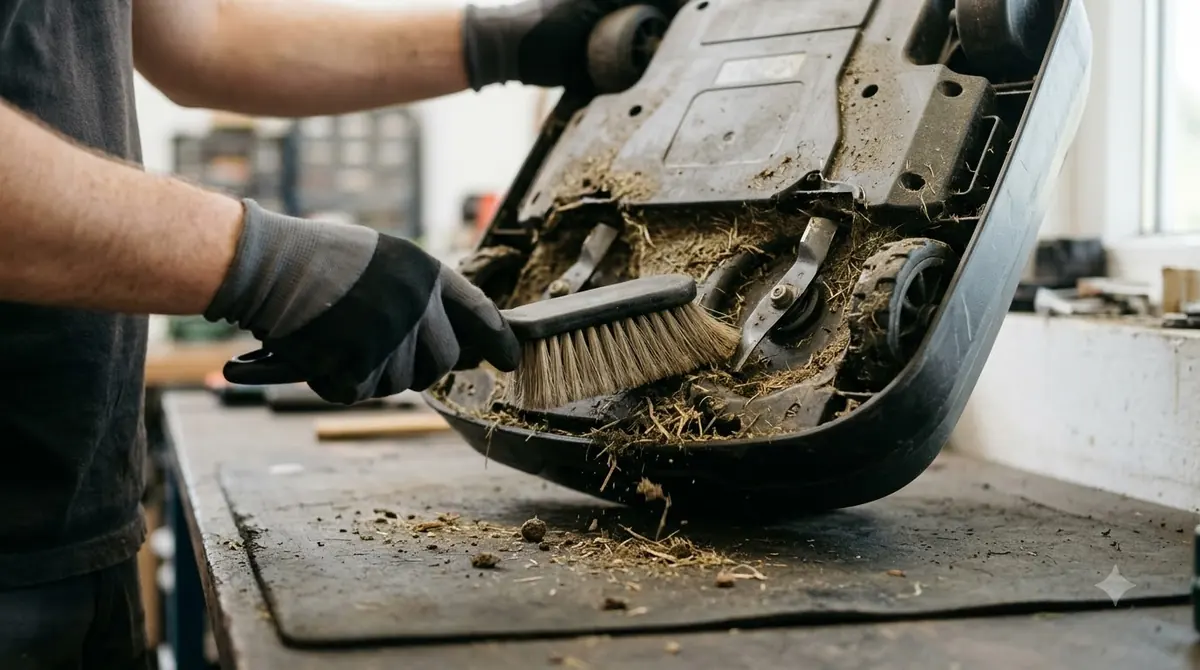
Husqvarna’s guidance is to remove debris from under the deck, around the wheels, and between the body and the chassis. Work slowly around the blade edges, and power the mower off before you reach underneath it. If the blades look worn, check the signs of dull robot mower blades before you replace them.
- Power off the mower. Lift it onto a stable, soft surface or stand it so the blade cannot turn while you work.
- Remove wrapped material. Pull grass, string, and wire from around the blade disc and the wheels.
- Scrape the deck. Clear packed clippings from under the deck and from the gap between the body and the chassis.
- Check the blades. Make sure they move freely and are not bent or damaged before you restart.
Grass that is taller than your model allows
Husqvarna sets a maximum grass height for each model, from 4 cm (1.6 in) on the Aspire R4 and 105 up to 10 cm (3.9 in) on many older Automower models. Raising the cutting height is the first fix Husqvarna gives when grass is too high for the cutting system.
| Husqvarna models (as listed) | Maximum grass height |
|---|---|
| Aspire R4, 105 | 4 cm / 1.6 in |
| 305E NERA, 310E NERA, 405XE NERA, 410XE NERA, 405VE NERA, 410VE NERA, Aspire R6V, 308V, 312V, 430V NERA, 450V NERA | 6 cm / 2.5 in |
| 305, 310, 315 Mark II, 315, 315X, 405X, 415X, 420, 430X, 440, 450X, 320 NERA, 430X NERA, 450X NERA, 435X AWD, 435X AWD NERA | 10 cm / 3.9 in |
Use the limit in your own manual, because this table covers only the models listed on Husqvarna’s page as of 2026-11-12. If your lawn regularly grows past the figure for your model, the page’s first fix is to raise the cutting height, and the limit is the reason that fix matters.
Slopes steeper than the model allows
Husqvarna lists a maximum slope for the work area and a lower limit at the boundary, and the figures range from 25% on the Aspire R4 and 105 to 70% on the 435X AWD, as listed as of 2026-11-12. Slope is a model limit, so a mower rated for 40% is not a fix for a lawn that reaches 50%. To read the percentages, see reading a mower’s slope rating in percent.
| Husqvarna models (as listed) | Max slope, work area | Max slope, boundary |
|---|---|---|
| Aspire R4 | 25% | 10% |
| 105 | 25% | 15% |
| 305E NERA, 310E NERA, 405XE NERA, 410XE NERA | 30% | 20% |
| 420, 430X, 440, 450X | 40% | 15% |
| 430V NERA, 450V NERA | 50% | 25% |
| 435X AWD, 435X AWD NERA | 70% | 50% |
If a steep area is over the limit, Husqvarna’s guidance is to isolate it with an island or a stay-out zone so the mower does not enter. The full list of models and fixes is on the cutting system blocked page.
When to restart and when to call a dealer
Husqvarna’s error-handling guide says to remove the cause of an error before you restart, and to contact a dealer if a restart and a factory reset do not clear it. Restarting does not delete your settings, according to the same guide, so it is a low-risk first step once the disc is clear. If the app shows a different message, the robot mower lifted error guide covers that fault.
- Remove the cause. Clear the obstacle, debris, or slope problem first.
- Restart the mower. On NERA models, press the jog wheel for 3 seconds. On Aspire R4, R6V, 308V, and 312V, hold ON/OFF for 3 seconds to power off, then press it for 1 second to restart.
- Try a factory reset. Husqvarna suggests this if the restart does not solve the problem.
- Contact a dealer. If neither step works, the guide tells the owner to contact a Husqvarna dealer.
Heads up
Our reading is that a robot mower blade motor error that returns right away after the disc is clear points to a fault inside the motor or its controls. The pages we read do not describe blade motor repair, so treat that as a question for a dealer rather than a home fix.
What to check before you buy or service a mower
Compare each model’s maximum grass height and slope limit with your own lawn, since these are the two limits Husqvarna uses in its blocked-cutting guidance. Check the numbers in the manual, not the marketing summary. Before you buy or service a mower, this also limits a future robot mower blade motor error. For wear and timing, see robot mower blade replacement intervals.
- Grass height: compare the maximum with the tallest growth your lawn reaches between cuts.
- Slope: map your steepest section and check the work-area and boundary limits separately.
- Access: make sure you can reach the blade disc, the wheels, and the area under the deck.
- Support: find the dealer and the error-code list for your model before the first problem.
Frequently asked questions
Is a robot mower blade motor error always a motor problem?
No. Husqvarna’s cutting system block covers the blade disc, wheels, and deck, and its listed causes include debris, grass height, and slope. Check those first, since a failed motor is only one possibility among several.
Can I restart the mower to clear the error?
Yes, but remove the cause first. Husqvarna says restarting does not delete settings and advises trying a restart before other steps. If the error returns right away, the cause is still present.
Does a factory reset fix a blade error?
Husqvarna suggests a factory reset when a restart does not solve the problem. It is a second step, not a repair. If the error still appears after a reset, the guide says to contact a Husqvarna dealer.
Is the wheel motor overloaded message the same thing?
No. Husqvarna’s wheel motor overloaded message, code 86, refers to a drive wheel resisting movement. Free the wheel and clear the path, then restart. The blade disc is not the first thing to check for this message.
Sources
- Cutting system blocked: Automower error message (Husqvarna): the four causes, maximum grass height and slope limits by model.
- Wheel motor overloaded, right/left: Automower error message (Husqvarna): code 86 and the drive-wheel steps.
- Handling Automower error messages (Husqvarna): clearing the cause, restart timings, factory reset and dealer contact.
 Up next8 min readLearnWhat Do Robot Mower Error Codes Mean? Causes and First FixesUpdated Nov 12, 2026
 7 min readLearnDreame Robot Mower LiDAR Error: What It Means and How to Fix ItUpdated Nov 11, 2026
 7 min readLearnRobot Mower App Not Connecting? Check These Causes FirstUpdated Nov 12, 2026
 9 min readLearnEcovacs GOAT RTK Signal Lost: What to Check FirstUpdated Nov 11, 2026
 8 min readLearnMammotion LUBA RTK No Fix? Check These Four Things FirstUpdated Nov 10, 2026
 8 min readLearnHusqvarna Automower Not Charging: What to Check FirstUpdated Nov 13, 2026